

The Cameo DataHub Options dialog allows you to enable popup dialogs for some particular Actions in DataHub.
To open the Cameo DataHub Options dialog in MagicDraw®
- On the MagicDraw main menu, click Options > Environment. The Environment Options dialog opens. Select Cameo DataHub on the left.
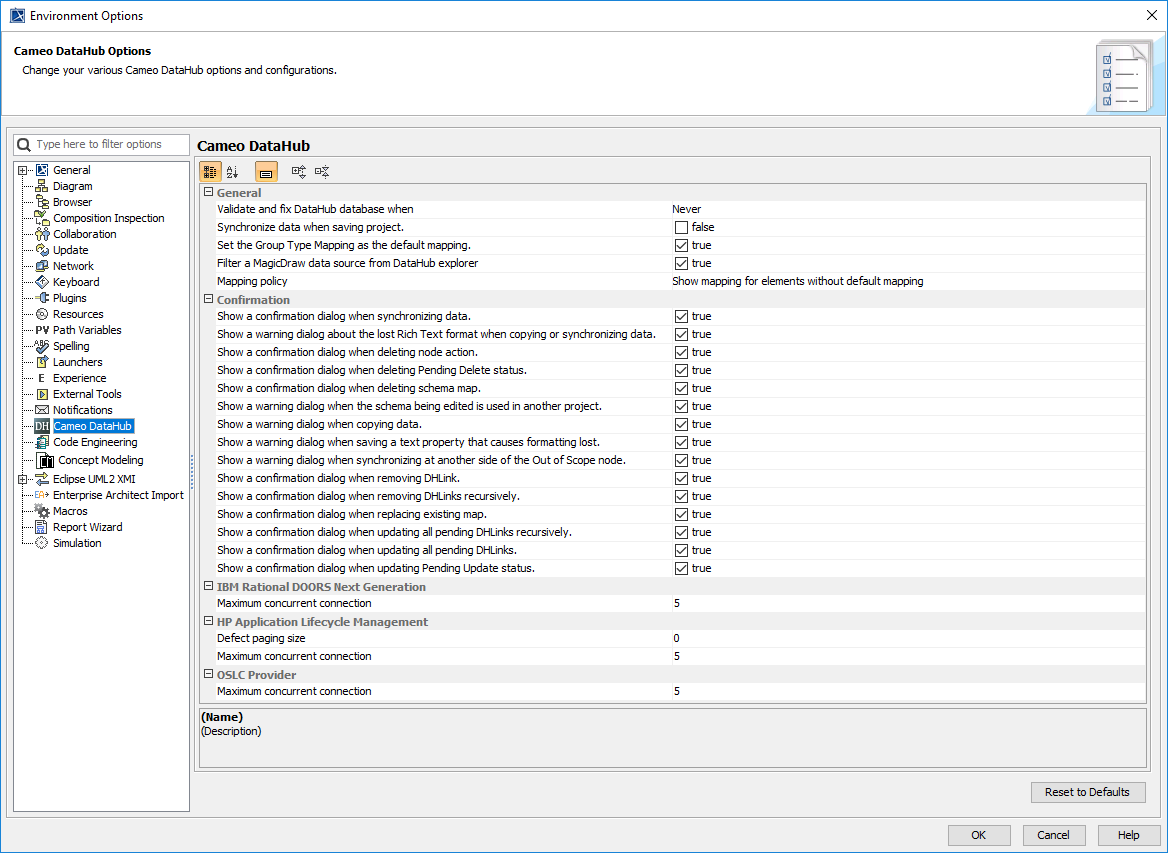
The Environment Options dialog in MagicDraw® is divided into the four groups of configuration as follow