Adding ENOVIA Requirements Data Source
To add an ENOVIA Requirements Data Source
- Log in to the 3DEXPERIENCE platform.
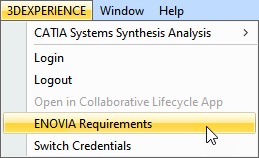
In the main menu, select 3DEXPERIENCE > ENOVIA Requirements.
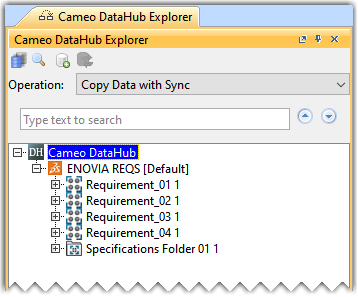
All specification folders and requirement specifications on the server are displayed in the CDH Explorer panel. To view only the elements you own, update the environment options. For more information, click here.