Custom View Creation dialog
The View Creation dialog and/or submenu are available via the Create View command. This command is available in the element shortcut menu displayed upon right-clicking an element. The dialog and the submenu display a list of commands for creating specific views. Additionally, all commands can be structured into named categories.
While there is a predefined submenu and dialog for displaying the predefined commands, you can either customize the predefined dialog or create a new one from scratch. This way, you can create a custom model-based View Creation dialog listing only the view creation commands of your choice, allowing you to customize the View Creation dialog based on the needs of your specific project.
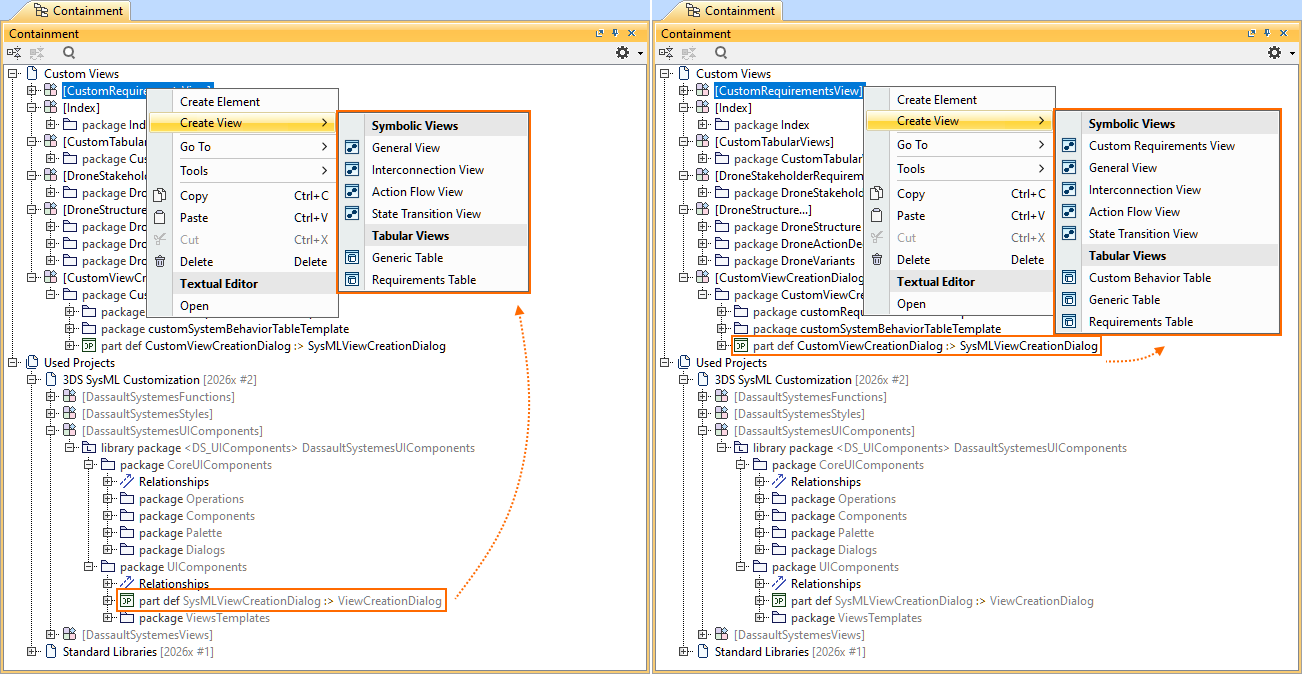
The image on the left shows the View Creation submenu according to the predefined SysMLViewCreationDialog configuration. The image on the right shows the customized View Creation submenu.
View Creation dialog composition and customization

The Create View command can invoke either a View Creation dialog or the command's submenu. The submenu is displayed when there are no more than ten view creation commands. Otherwise, the View Creation dialog is displayed instead of the submenu. Both the dialog and the submenu display the command categories containing the view creation commands.
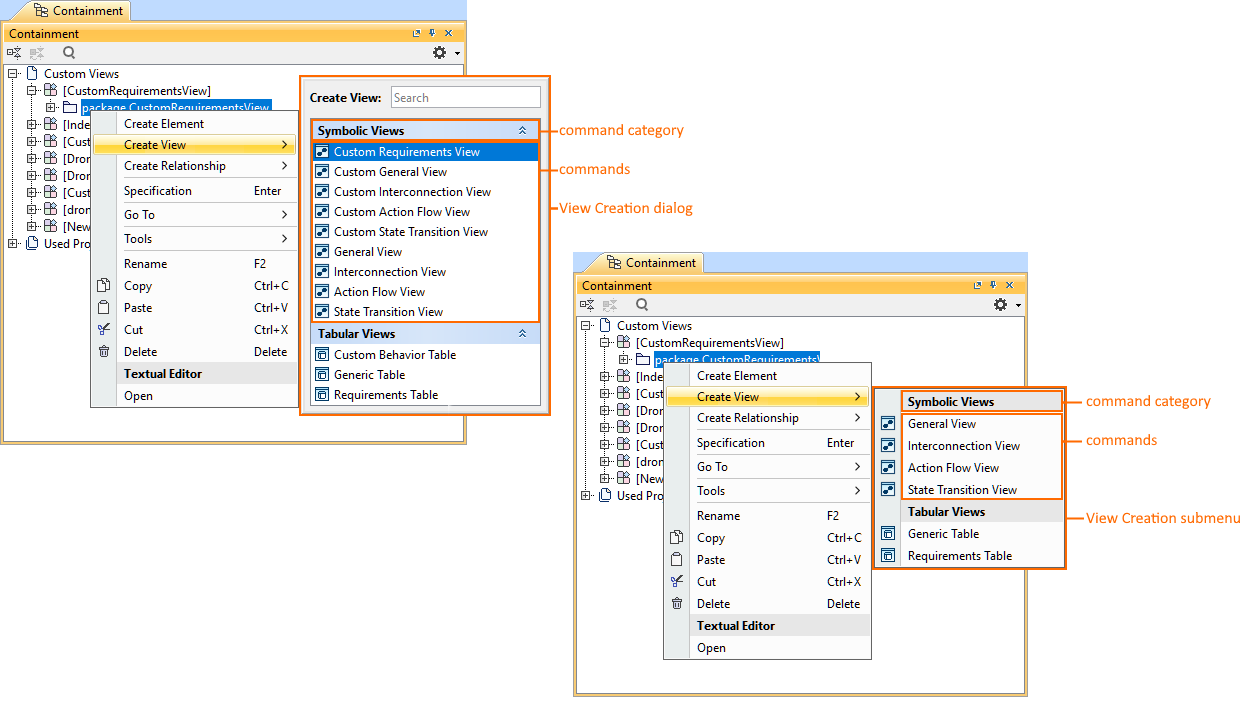
The image displays the View Creation dialog (predefined) and the View Creation submenu (custom) with commands structured into categories.
There are two options for customizing the View Creation dialog/submenu:
- Customizing the predefined SysMLViewCreationDialog configuration for the View Creation dialog/submenu. For specific procedures, see the Customizing View Creation dialog page.
- Creating the View Creation dialog/submenu from scratch via the conceptual ViewCreationDialog definition. For specific procedures, see the Creating View Creation dialog page.
The view dialog/submenu, command categories, and individual commands have specific attributes available for customization. Whether you choose to customize the predefined dialog that comes with the modeling tool or create a new one from scratch, the attributes remain the same. Additionally, if you choose to customize the predefined dialog, you can employ the DS_UIComponents::UIComponents package with the SysMLViewCreationDialog dialog definition, which contains predefined command categories and their commands. Reusing it allows you to easily modify the existing dialog, tailoring it to your needs.
You can activate the needed View Creation dialog via the Active Create View Dialog. See the Managing View Creation dialog page.