The following instructions applies to BeanShell, Groovy, JRuby, JavaScript, and Jython scripts only.
How to access the arguments and other values from the script body?
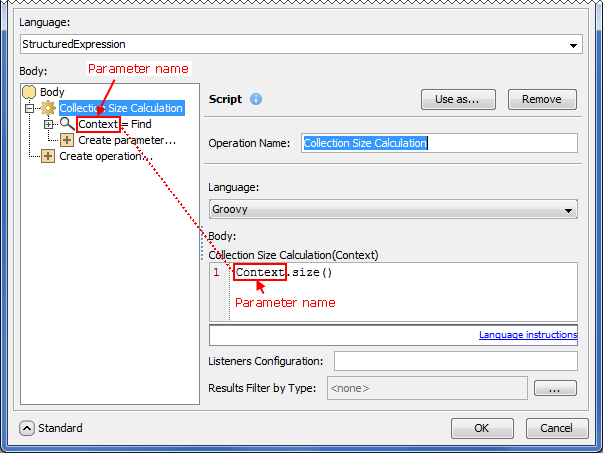
To access an argument from the script body, you should refer to the corresponding parameter name.
A script body can access the following values:
- Arguments passed to this script as parameters, such as the Context parameter in the preceding figure.
Values passed to the structured expression, inside of which the script operation is defined.
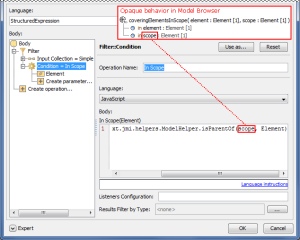
If you have an opaque behavior with a couple of parameters, you can refer to them from a script operation, which is inside of the structured expression - the body of this opaque behavior.
If you have a structured expression specifying a derived property, validation rule, relation criterion, etc., use THIS to refer to the Contextual element.
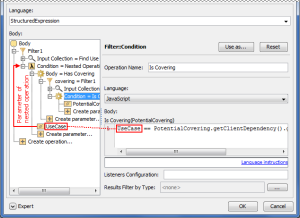
Arguments passed to a nested operation as parameters, if the script operation is defined inside of that nested operation.
Globally defined values:
project (current project)
application
How many statements can a script have?
The script can have multiple statements. In this case the result of the entire script is the result of the last statement.
What MagicDraw functionality can a script use?
The script can call MagicDraw Open API.
For the list of available MagicDraw Open API methods, refer to javadoc.zip, which can be found in <MagicDraw installation directory>\openapi\docs.
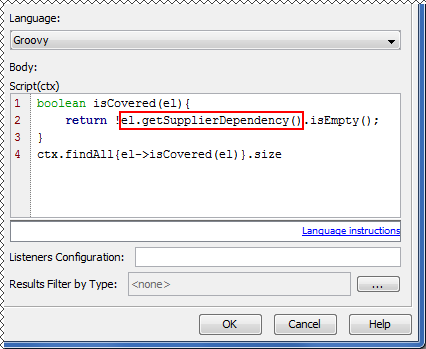
More complex model access operations are available in ModelHelper and StereotypesHelper.
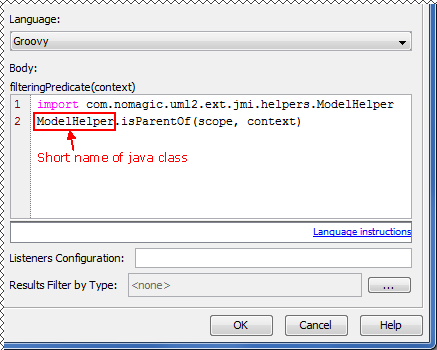
Use import statements to shorten java class names as shown in the following figure.
How to simplify scripts?
To simplify the script, move complex sub calculations out of the script. Use other operations of the structured expression to specify these sub calculations and then pass the results to the script through parameters.
Let’s say we need a script operation, which counts the number of nested packages. You can use MagicDraw Open API to navigate through the model and find all the nested packages, but it would be complicated.
To simplify the script:
- Use the Find operation to list these nested packages.
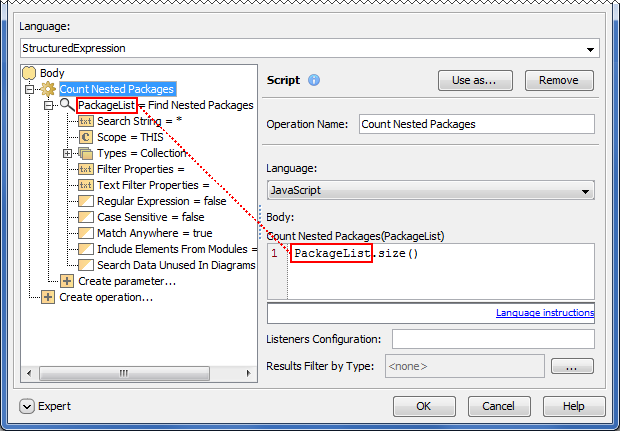
- Use the script operation for nothing else than counting the number of the list items. Pass the result of the Find operation to this script through the PackageList parameter as the following figure shows.