

Use the script operation, when you need to specify an inline expression in OCL 2.0, as Java binary, or in any of MagicDraw supported script languages. MagicDraw supports any script language that has a JSR-223-compliant engine.
Adding a script operation directly into a structured expression is the same as defining an operation in the model and then calling it from the structured expression.
To create a script operation
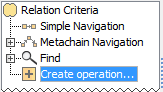
- Click Create operation on the left side of the dialog.
Click the Script icon on the right side of the dialog.
If you do not see the Script icon, switch to the Expert mode.
- If needed, change the operation name.
- If you are specifying the criteria for displaying relations between elements in a relation map, you can select a color, which will represent these relations. Otherwise, the color selection is not available.
From the Language drop-down list, select a language.
If the engine of the language you need is not built into MagicDraw by default, you can add it to the application yourself. Make sure the Automaton plugin is enabled!
- Type in the Body box. Use the syntax of the selected language.
In the Listeners Configuration box, type a reference to the java class, which specifies when the result of the script operation must be recalculated.
The listeners configuration is not necessary, but using it can improve the performance.
You can create your own listener using MagicDraw API.Click the ... button next to the Results Filter By Type box and select one or more element types to filter the result of the script operation.
The script operation is created. Now you can create a new one, where the result of the previously created operation is used as an argument.