Versions Compared

Key

  • This line was added.
  • This line was removed.
  • Formatting was changed.

...

Content layer
id2116536461


Content column
width20.0%
id550253287


News of earlier versions

  • Teamwork Cloud 2021x
  • Teamwork Cloud 19.0 LTR SP4
  • Teamwork Cloud
    Content column
    width80.0%
    id2116536466


    Content block
    id2116536465

    Anchor
    top
    top
    Image Removed

    Magic Collaboration Studio

    Released on: November 18, 2022


    Teamwork Cloud Magic Collaboration Studio 2022x Refresh1 includes exciting new features, such as customizable announcements that can be displayed to users on login and project load, renewed and enhanced Data markings capability, case-insensitive authentication against LDAP servers, and password complexity requirements that considerably improve system security. Last but not least, Teamwork Cloud Magic Collaboration Studio services are extended with initial Webhooks support.

    In addition, the Collaborator web application introduces the export of comments to the PDF/HTML format, which allows you to archive discussions among team members that resulted in specific changes in the model, a resizable navigation pane in Collaborator documents, and other improvements.


    2043795262
    Content block
    id233001184
    Content block
    id


    Announcements
    The 2022x

    The 2022x Refresh1 version of

    Teamwork Cloud

    Magic Collaboration Studio introduces the ability to

    set announcements

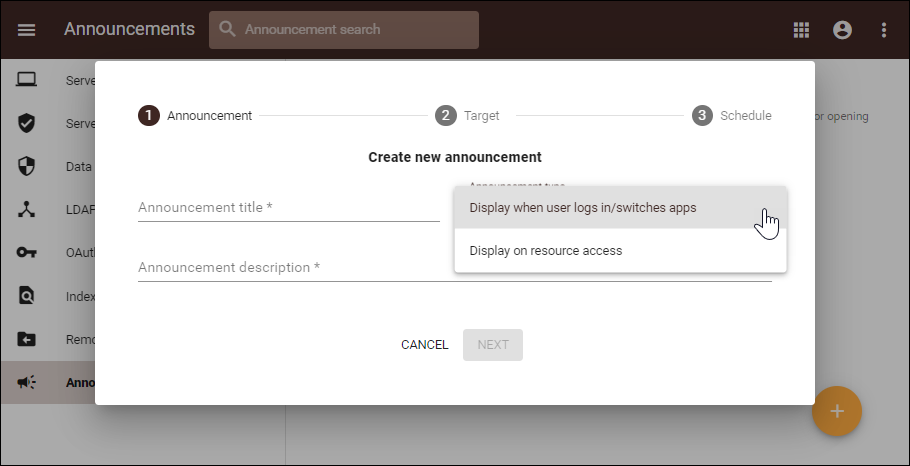
    announcements to be shown to users. These announcements can be displayed as notifications when users log into the server or open specified resources both through the modeling tool and web applications. With this feature in place, you can quickly and easily announce early server upgrades, project deadlines, or any other organization-specific information within the tool.

    Image Modified

    Creating a new announcement.
    Upgraded Data Markings

    With the

    initial

    initial Data Markings

    release

     release, we introduced a way of marking

    Teamwork Cloud users

    Magic Collaboration Studio users, user groups, resources, and categories with end-user predefined security levels. To allow for an even more granular and flexible access control, the new version of

    Teamwork Cloud

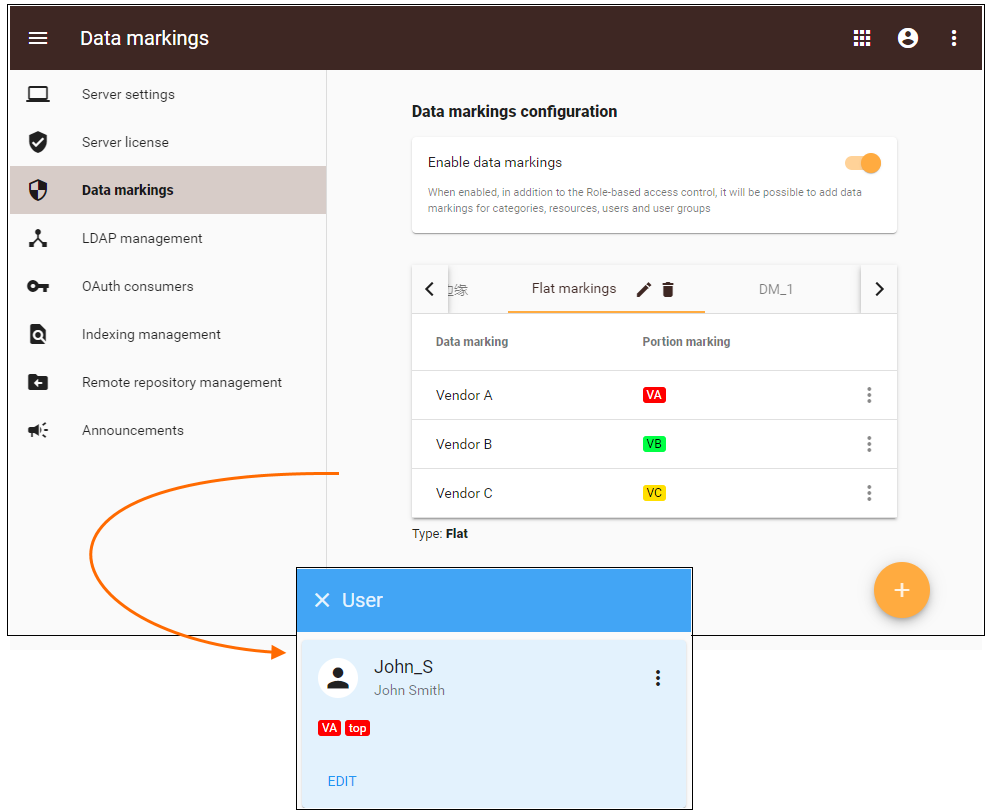
    Magic Collaboration Studio allows you to define hierarchical, non-hierarchical (flat) classifiers

    ,

    or a combination of both. This

    also means

    also means that from now

    on you

    on you can assign multiple data markings to

    a resource

    a resource, category, user, or group.

    Image Modified

    Setting a flat data markings group and viewing a user with both hierarchical and flat markings.
    Case-Insensitive LDAP AuthenticationIt has come to our attention that most LDAP servers across our customer base are configured to act as case-insensitive by default. Therefore, fromnow on the authentication process against external users coming from LDAP servers is case insensitive as well. This eliminates the need to remember the exact case of your username as set in the organization’s LDAP server.
    Password Complexity Requirements

    Previously, it was possible to create internal user accounts without

    any restrictions on

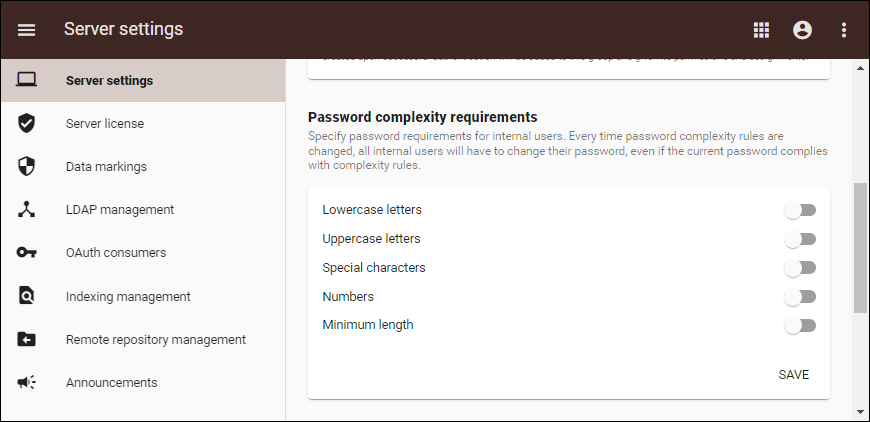
    any restrictions on their passwords, which might have led to potential security issues. Beginning with the 2022x Refresh1 version, administrators can set the rules for internal

    user password

    user password complexity. These rules apply to existing passwords, as well: users are forced to change their password

    if new

    if new complexity rules get rolled out.


    Image ModifiedSetting password complexity requirements in Teamwork Cloud Admin.
    Webhooks (Technology Preview)

    From day one,

    Teamwork Cloud offers

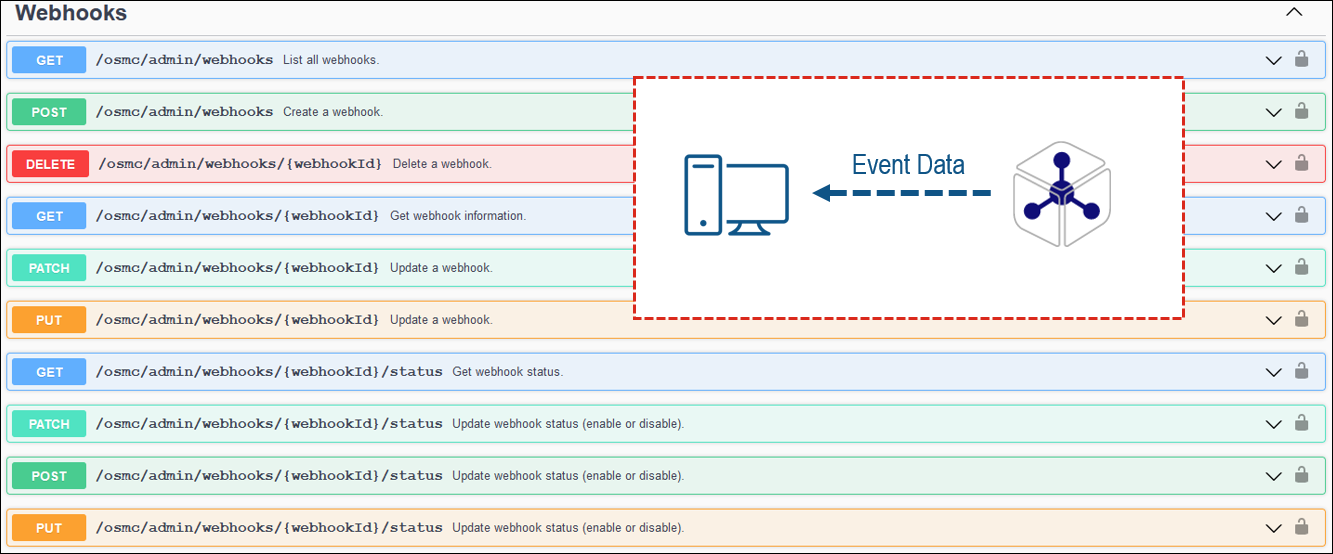
    Magic Collaboration Studio offers services and APIs to access and use repository data. With the 2022x Refresh1 release we are stepping forward and introducing a technology preview of the so-called ”inverse API“ – webhooks. With webhooks support, you can get notifications pushed to a specified endpoint on predefined events in

    Teamwork Cloud

    Magic Collaboration Studio instead of constantly polling for new data through REST APIs. The initial webhooks release allows you to listen to commit-type events in chosen resources, with more exciting capabilities

    coming soon

    coming soon!

    To learn more about webhooks services, please see the OpenAPI specification of

    Teamwork Cloud

    Magic Collaboration Studio REST API.

    Image Modified

    SAML Integration Updates

    SAML metadata content and URL are changed. Customers using SAML integration should update SAML metadata URL or metadata file itself on the side of the SAML Identity Provider.


    Content block
    id2116547326543970362
    Collaborator Application

    Exporting Comments to PDF/HTML

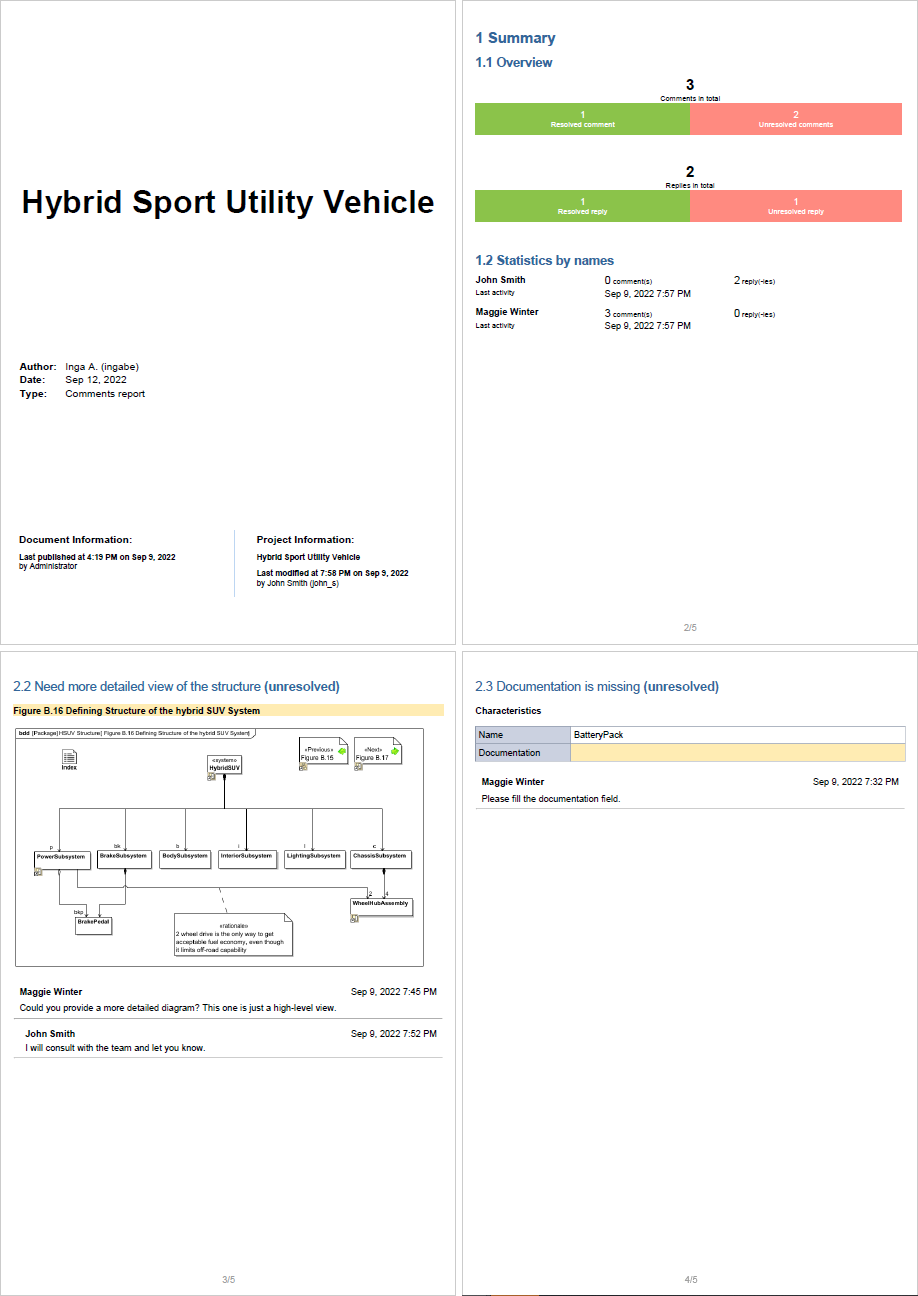
    The Collaborator web application introduces a new feature allowing you to export comments to the PDF/HTML format. This way you can archive the discussions among team members that resulted in specific changes made in the model and thus trace the reasoning behind these changes. The exported files include not only all comments and replies created in the document but also the document and project information and comments statistics.


    Image Added

    Collaborator comments exported to PDF.


    Resizable Navigation Pane

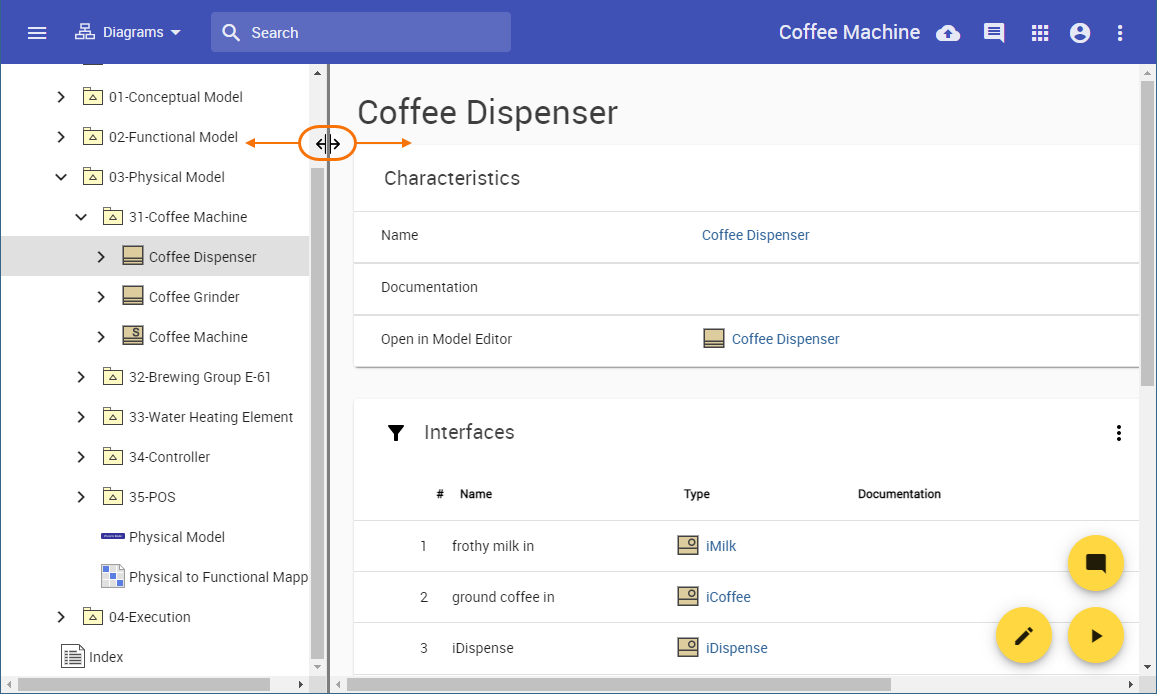
    The navigation pane in Collaborator documents is now resizable, so you'll be able to adjust the document portal according to your needs.


    Image Added

    Resizing the navigation pane in a Collaborator document.


    Other

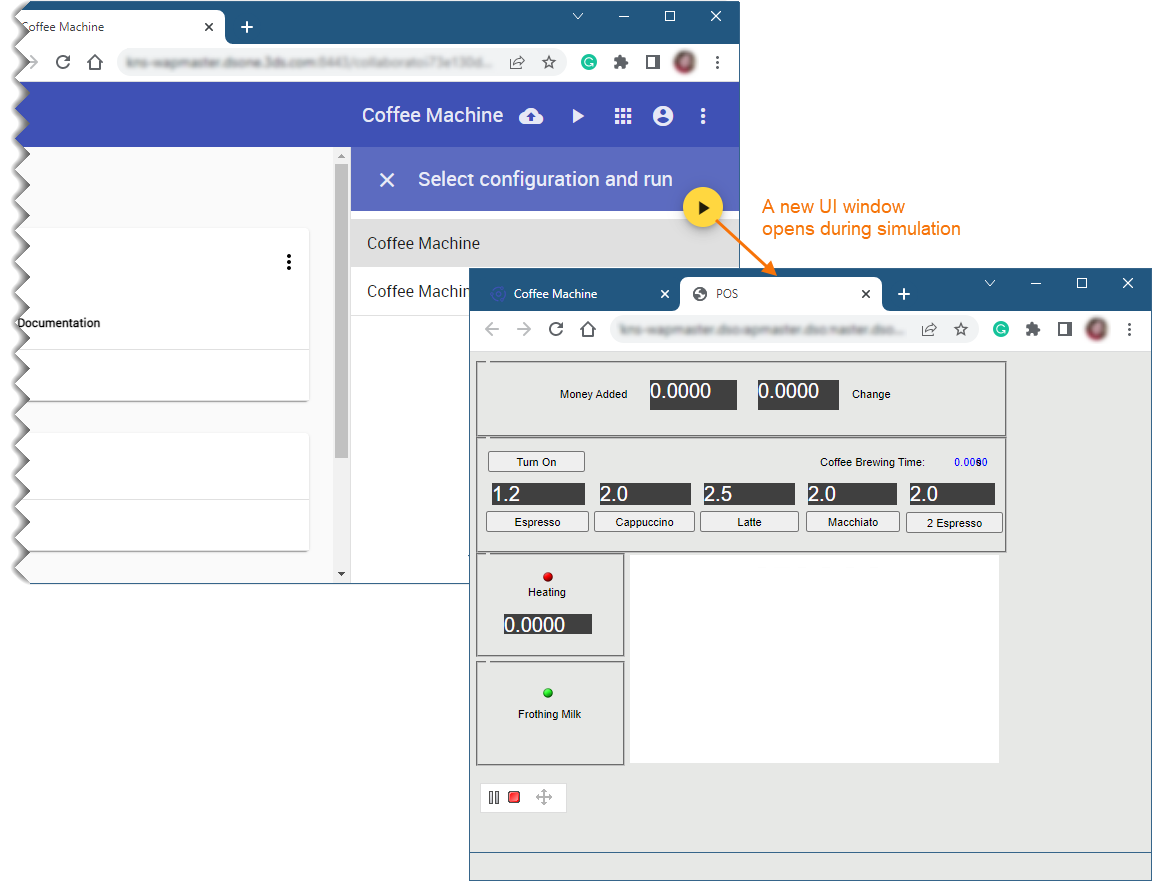
    • When you simulate a model with a UI mockup or Time Series chart, a new UI window opens automatically during model execution.

      Image Added

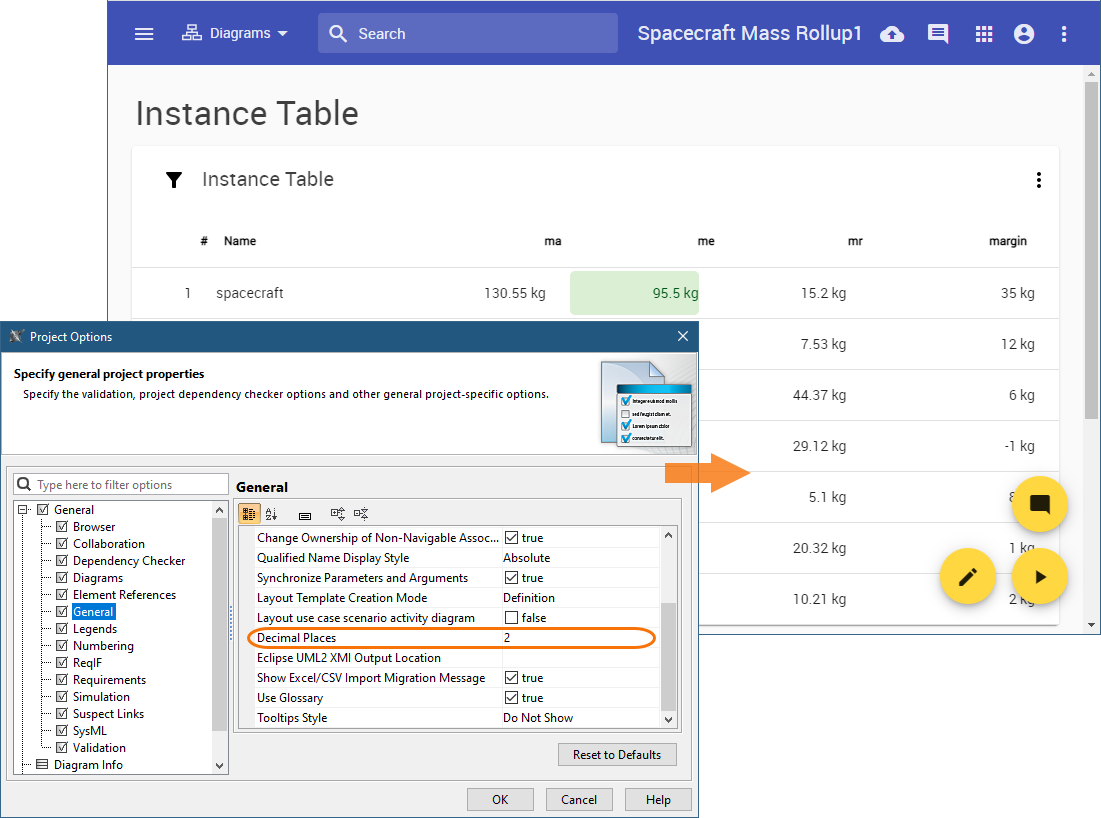
    • Now you can change the number of decimals displayed in Collaborator documents. When you specify the Decimal Places project option in your project, the setting is remembered and used for the documents published from that project as well.

      Image Added

    • If you use the data markings functionality to mark a project with a custom-defined access level, the same data marking is now automatically applied to all the documents published from that project.


    Content block
    id2116547326
    Section
    Column
    width50%

    Documentation

    Column
    width50%