
...
- Expand the Activity diagram palette, click the downward arrow button next to the Object Node icon and select Data Store Node from the shortcut menu.
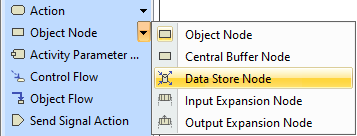
- Click on the Activity diagram pane. The Data Store Node is created.
- (Optional) To specify the Data Store Node by changing its property values, right-click its symbol and open its Specification window.