Log in
No Magic Product Documentation
Spaces
Hit enter to search
Help
Online Help
Keyboard Shortcuts
Feed Builder
What’s new
About Confluence
Log in
MagicDraw 2024x Refresh2
Edit space details
Pages
Blog
Scroll Documents
Page tree
Browse pages
Configure
Space tools
View Page
Document toolbox
A
t
tachments (9)
Page History
Page Information
View in Hierarchy
View Source
Export to PDF
Export to Word
Export to HTML
Export to PDF
Pages
…
MagicDraw Documentation
User Guide
Collaborative modeling
Collaboration powered by 3DEXPERIENCE platform
Using Cameo Collaborator
Publishing Cameo Collaborator documents
Publishing from graphical user interface
Page History
Versions Compared
Old Version
1
changes.mady.by.user
Inga A.
Saved on
Feb 04, 2025
compared with
New Version
Current
changes.mady.by.user
Inga A.
Saved on
Apr 28, 2025
View Page History
Key
This line was added.
This line was removed.
Formatting was changed.
...
Note
title
Prerequisites
The Cameo Collaborator Publisher plugin must be installed in your modeling tool
.
You can publish
Cameo Collaborator
works only with projects stored on the
documents only on a cloud-hosted
3D
EXPERIENCE platform.
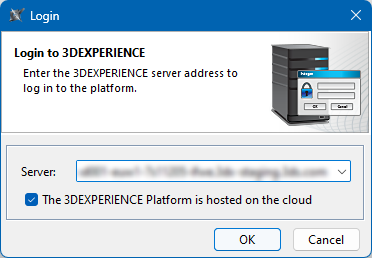
Make sure you
select the relevant check box when logging in.
Image Added
If you want to publish a local model, first
add it to the
3D
EXPERIENCE platform
.
...
Overview
Content Tools
{"serverDuration": 77, "requestCorrelationId": "65451e53a92ec5d7"}