| Info |
|---|
| title | When does this apply? |
|---|
| - When you open an existing project with outdated symbol styles, the dialog described below will show.
|
| Info |
|---|
| title | Which versions work? |
|---|
| - Updating symbol styles in older projects works with version 18.0 SP3 and later, but it is not compatible in version 18.0 SP2 or earlier.
|
| Note |
|---|
| - Versioning is now available for updating a project's symbol styles programmatically.
- Updating symbol styles will overwrite the existing styles. If you have manually made changes or added new features to the existing styles, those values will not be retained.
|
Concept Modeling Diagrams are intended to be as non-technical as possible for subject matter experts. However, symbol styles may sometimes expose technical details that are not appropriate for that kind of audience. The modeling tool, therefore, offers to tweak the symbol styles called Default and Defined Elsewhere. You can update the symbol styles, defer updating the styles, or make Concept Modeler ask you or stop asking you about updating them by setting the Ask to update outdated symbol styles options to true or false. Expand the instructions below to see how to update the styling. The Ask to update outdated symbol styles options, which open the Update 'Default' symbol style dialog or Update 'Defined Elsewhere' symbol style dialog asking you to update symbol styles when loading a Concept Modeling project with an older set of symbol styles, are set to true by default. If you set them to false, those dialogs will not open.
| Expand |
|---|
| title | Enabling/Disabling the options |
|---|
| To enable/disable the Ask to update outdated symbol styles options
- On the main menu, click Options > Project.
- In the Project Options dialog, on the left pane, click General then Styling.
- Select the Ask to update outdated 'Default' symbol styles option and the Ask to update outdated 'Defined Elsewhere' symbol styles option to set them to true.
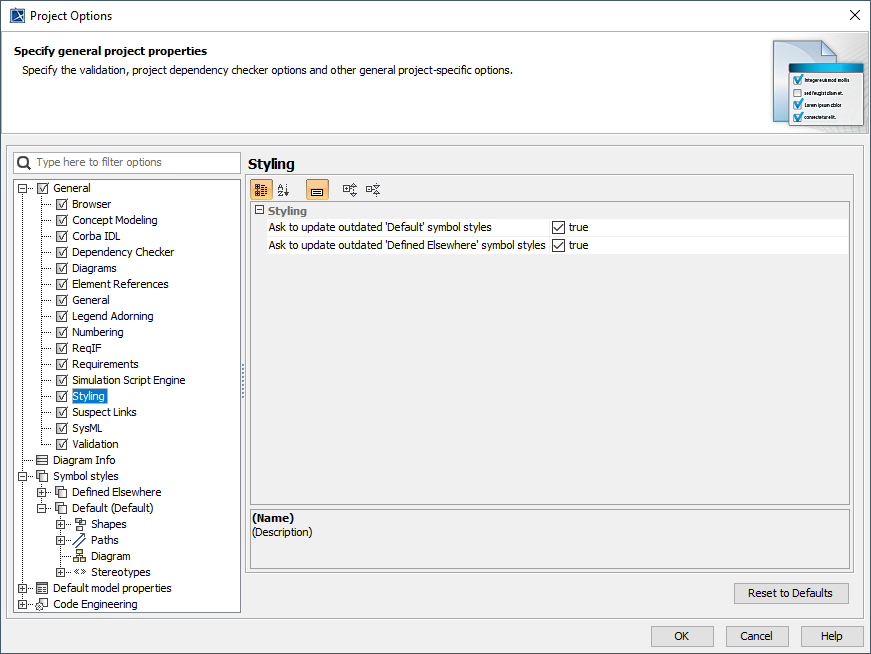 Image Added Image Added - Click OK.
|
In the Update 'Default' symbol style dialog and Update 'Defined Elsewhere' symbol style dialog, if you select Yes, the modeling tool will update the symbol styles. If you select No, you will defer updating the styles, and the dialogs will continue to appear next time when loading a Concept Modeling project with outdated symbol styles. 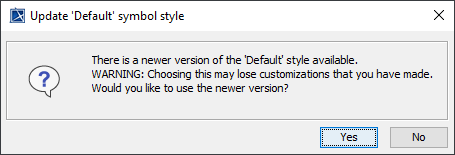 Image Added Image Added
The message dialog when loading a Concept Modeling project with outdated symbol stylesIn the message prompt, if you select No, the prompt will always pop up; otherwise, Concept Modeler will update your styles. The option called “Ask to update outdated symbol styles” which prompts you to update symbol styles when styles are out of date is set to True by default. However, if you set it to False, then the prompt window will not show. 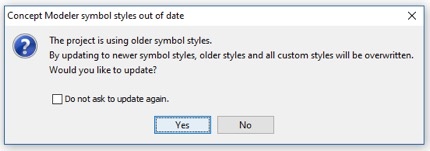 Image Removed Image Removed
To enable/disable the “Ask to update outdated symbol styles” option: On the main menu, click Options then Project.In the Project Options window, click on General then Concept Modeling.In that window, find the “Ask to update outdated symbol styles” field and check the box so it says true.
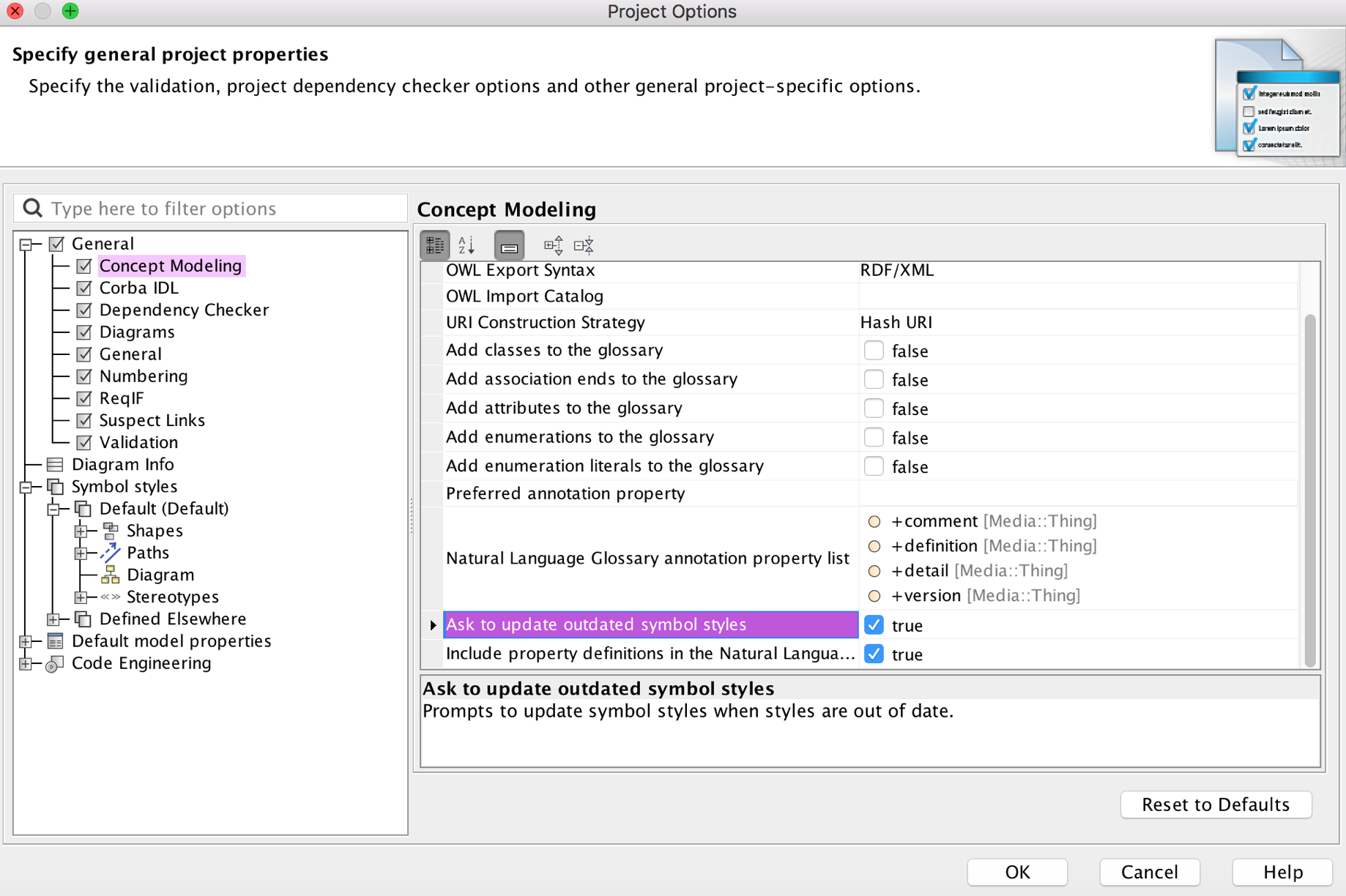 Image RemovedClick OK Image RemovedClick OK. | 