SysML Plugin TWRT Documentation


This page describes how to simulate the Hydraulics example model in Dymola. Learn more about Hydraulics sample model >>
You can find the Hydraulics sample model in:
- the modeling tool: Welcome window > Samples > Simulink and Modelica Transformation > Hydraulics .
- the Installation directory: <modeling tool installation directory>\samples\SysML\Simulink and Modelica Transformation\Hydraulics.
To simulate the ConnectedTanks model
- Export the ConnectedTanks Block to Modelica file. How to >>
- Make sure the Dymola tool is installed. How to >>
- Start the Dymola.
- Click File > Open > Load... and select saved ConnectedTanks.mo file from your file directory. A ConnectedTanks model is displayed in the Package Browser.
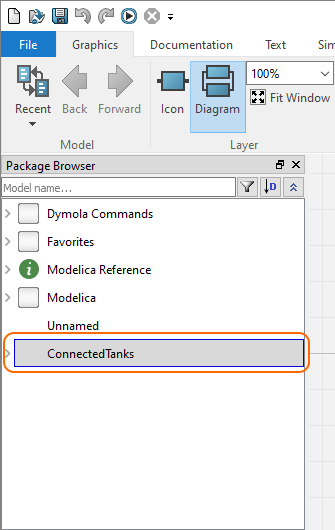
- In the Graphics tab toolbar, click
 to check model for syntax and semantic errors. The result panel displays whether the model is ready for simulation.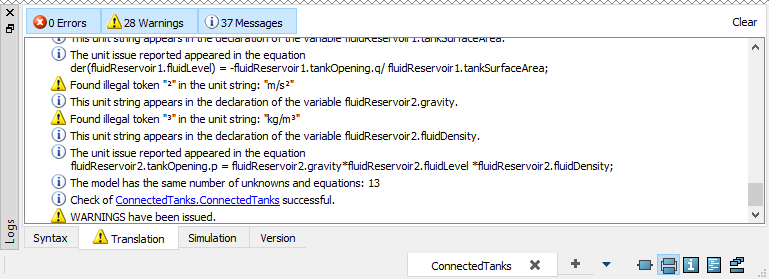
- Setup the simulation run for the model:
a. Select the Simulation tab and in its toolbar click .
.
b. In the Simulation Setup dialog, specify the Start time value to 0 and the Stop time value to 120 seconds (or any other reasonable amount of time; for this model, 120 seconds should be enough) .
c. Click OK.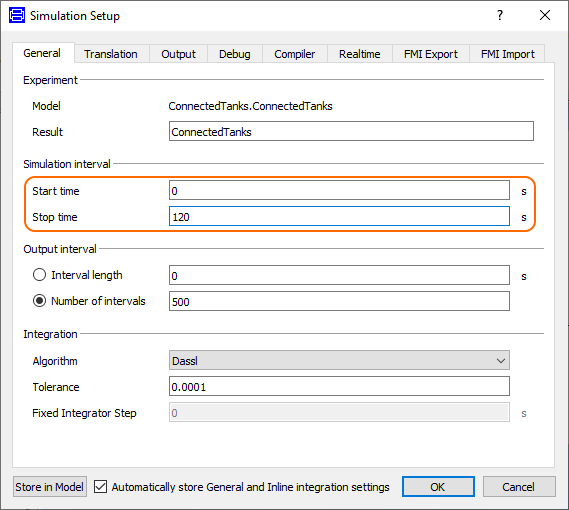
In the Simulation tab toolbar, click
 .
. When the simulation is completed, the output is displayed in the panel at the bottom and the ConnectedTanks variables are displayed in the Variable Browser.
- To see the input and output of the ConntectedTanks model, select variables in the Variable Browser as follows:
- ConnectedTanks > _ConnectedTanks > fluidReservoir1 > fluidLevel. The changing fluid level of the first tank is displayed on the Plot window. See the following figure.
- ConnectedTanks > _ConnectedTanks > fluidReservoir2 > fluidLevel. The changing fluid level of the second tank is displayed on the Plot window. See the following figure.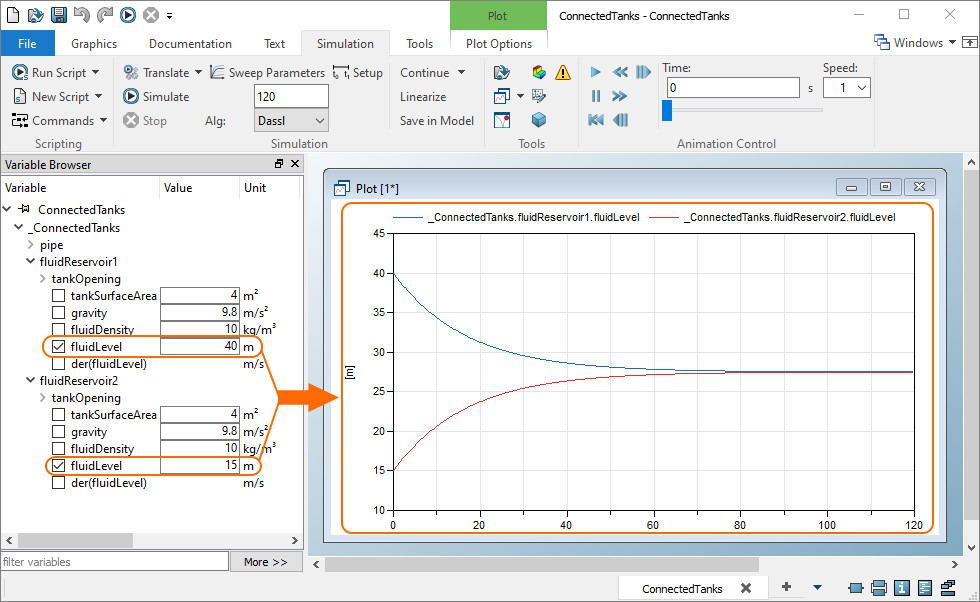
Overview
Content Tools