Magic Collaboration Studio
Released on: July 1, 2022
The new release of Magic Collaboration Studio includes fresh and exciting features, such as newly introduced data markings and powerful reporting capabilities. Together with other usability changes, these new features allow for easier installation, more powerful access control, and better insights into what’s happening with your data.
In version 2022x, the Collaborator application brings a number of new functionalities as well. We have introduced several document contextualization improvements, such as automatic image numbering and a quicker way to reorder newly created paragraphs. In addition, you will be able to navigate large tables a lot easier due to multiple table usability enhancements, embed diagrams from Collaborator documents into web pages and documents, and monitor long-running tasks with the help of the task manager.
 Data Markings
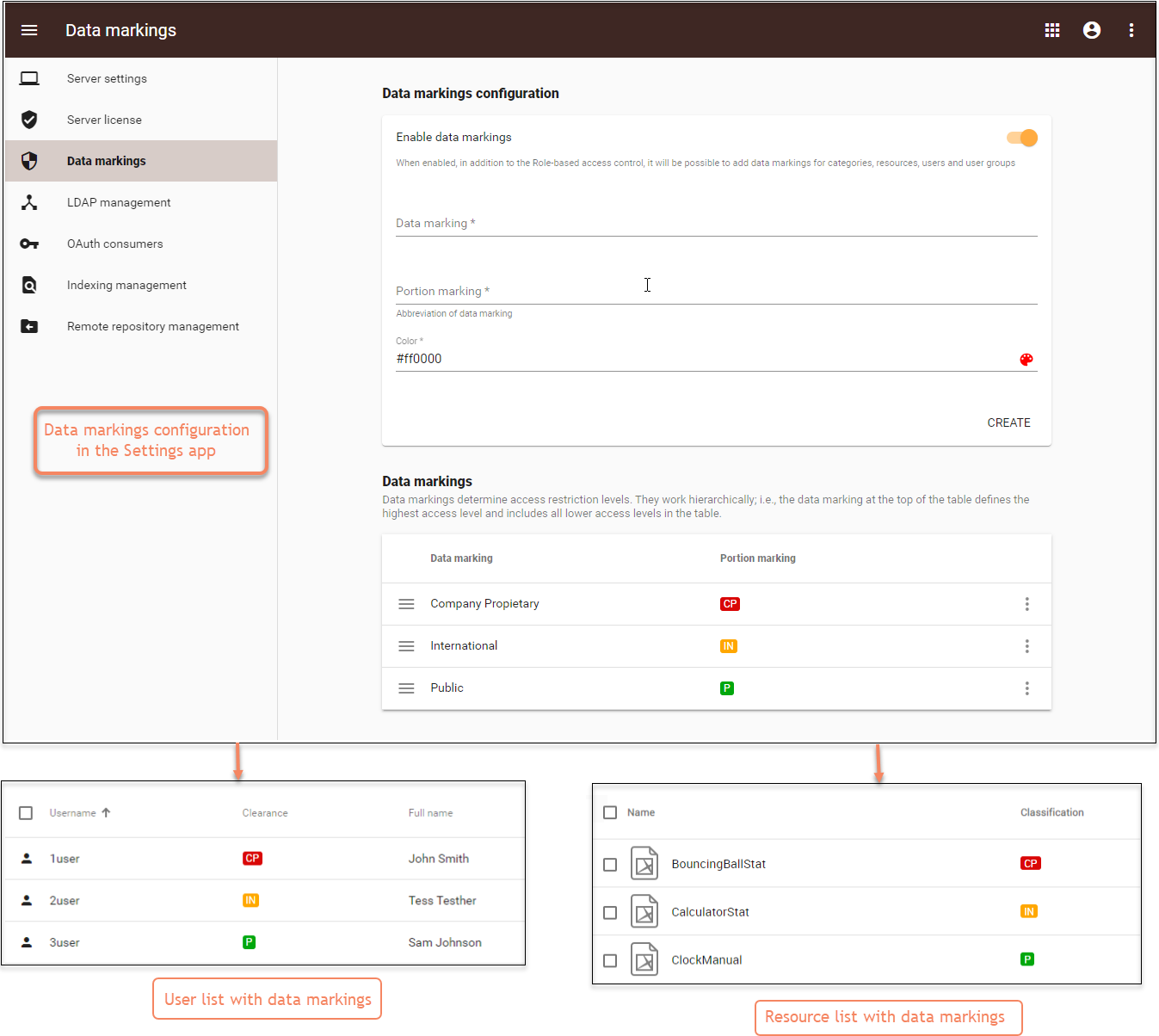
In addition to the Role-Based Access Control (RBAC) mechanism, you can now apply even stricter access rules using Data markings. This feature allows you to mark resources, categories, users, and user groups with custom-defined hierarchical access levels. You can employ these levels as additional security layers when listing or accessing resources on the server. After enabling data markings in the Settings app, you can set the clearance levels of users and user groups in the Users app and set the classification levels of resources and categories in the Resources app. This allows you to restrict access to certain resources, categories, users, and user groups.
Reporting Capabilities
In order to have better insights into what’s happening with Magic Collaboration Studio data, we are introducing the new Reports app. It enables audit-oriented generation of exportable reports on user, resource activity, permission changes, and much more with just a couple of clicks. The new Reports app allows you to track, record, and export information related to Magic Collaboration Studio usage. This app is available directly through the Web Application Platform or the app bar menu:
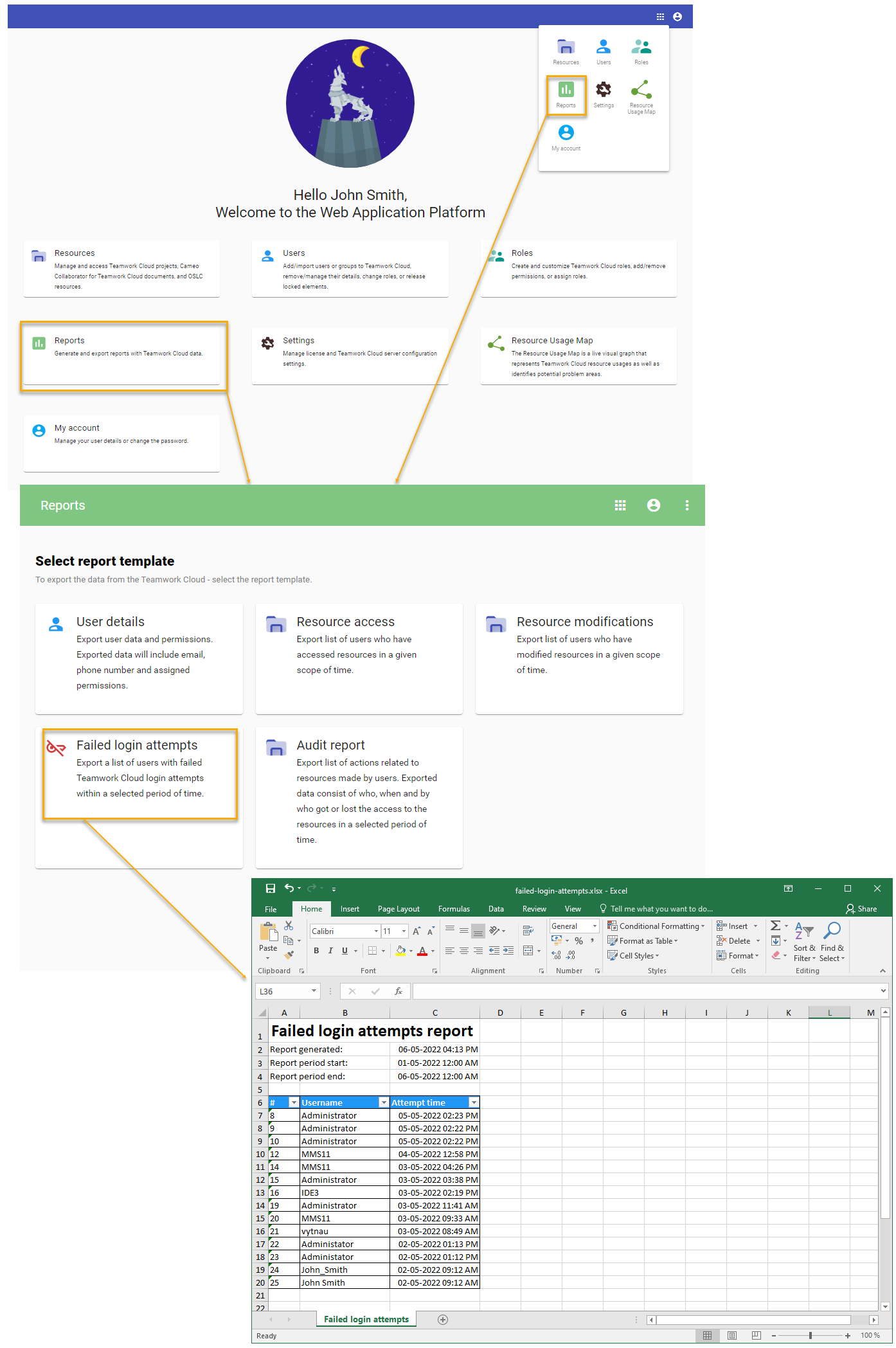
Reports app with sample report .
 OSLC Selection Dialogs
As an OSLC data Provider, Magic Collaboration Studio extends its supported OSLC Service set by introducing delegated selection dialogs. From now on, any OSLC Consumer tool can open up and browse Magic Collaboration Studio model content in a web-based manner and link to model elements of interest following standard OSLC protocols.
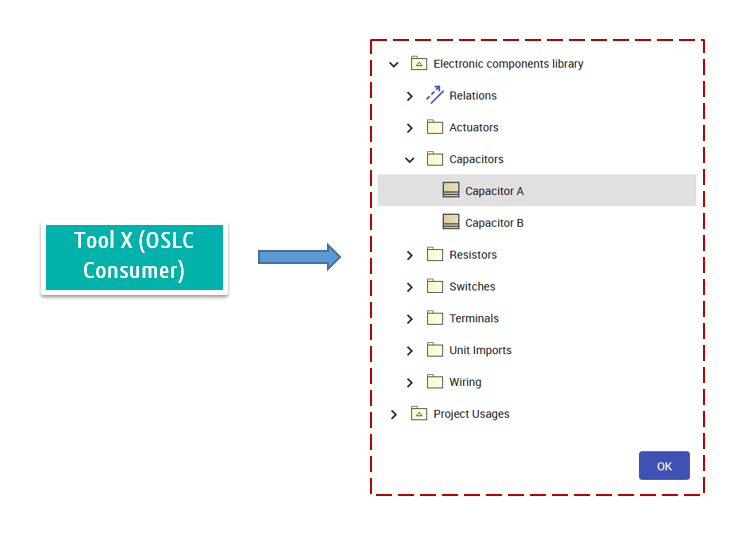
Magic Collaboration Studio OSLC Selection Dialog
 Other
Other
- AuthServer installation: in comparison to earlier versions, the AuthServer installation has changed. Now, the Authentication server is under the WebAppPlatform and thus no longer runs as a separate service. The AuthServer installation and upgrade procedures, as well as related parameters and their locations, are modified. To learn more, see the Authentication server page.
- Cassandra 4.0.x: TWCloud 2022x supports the newest major release of the Apache Cassandra database. This allows enjoying all of the benefits of Cassandra‘s performance and stability improvements and adds Java 11 support.
- Containers: we are providing instructions and sample scripts on how to build Cassandra and TeamworkCloud containers from the TeamworkCloudSuite deliverable. These containers can be run on any orchestration platform together with WebApps to ensure easy TWCloud deployment.
- Global Element Usage Indexing and Search is out of Technology Preview! After multiple iterations, tweaking the performance and usability of this feature, we have reached a production-ready maturity level.
Collaborator
Document Contextualization Enhancements
We are happy to announce that the Collaborator web application brings several improvements to document contextualization features we introduced in previous versions:
- When you add images to a Collaborator document, they are automatically numbered and an image caption is created based on the file name to make your document more presentable. In Addition, you can modify the image number and caption at any time.
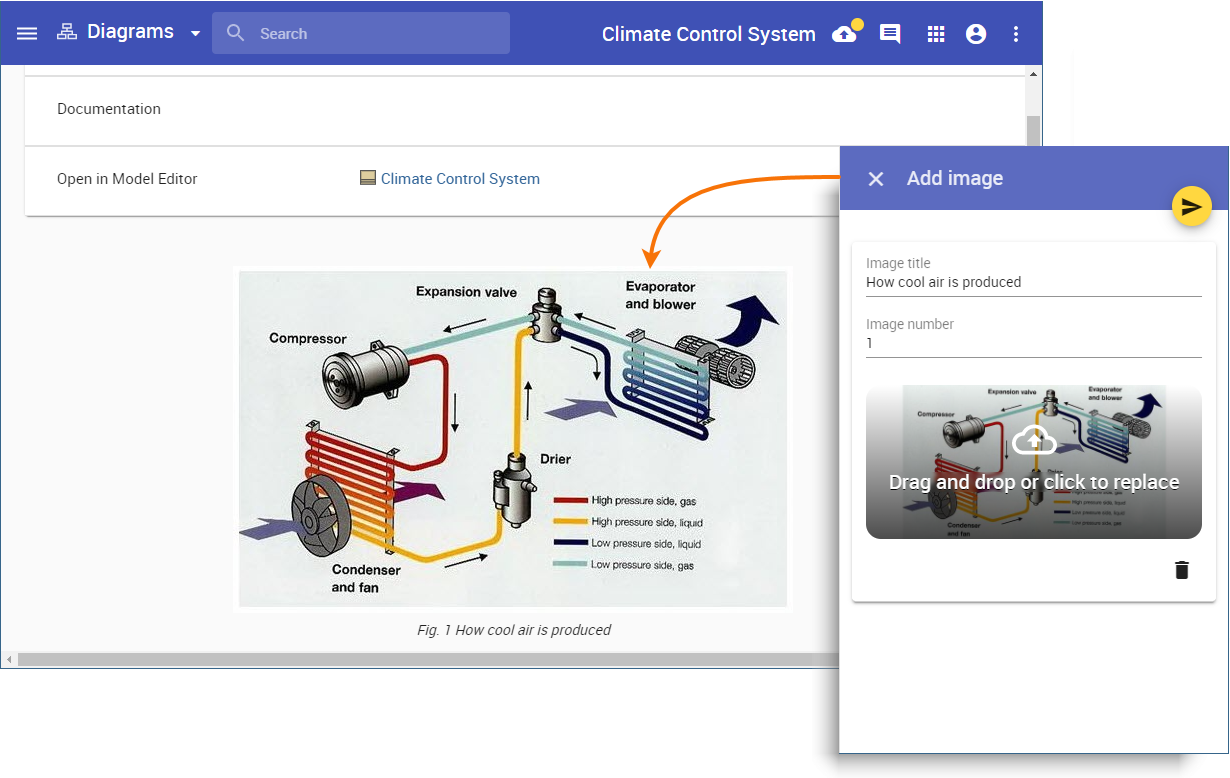
Auto-numbering images added to a Collaborator document.
- Now you can quickly reorder newly created paragraphs and images in a section by cutting and pasting them to a new location.
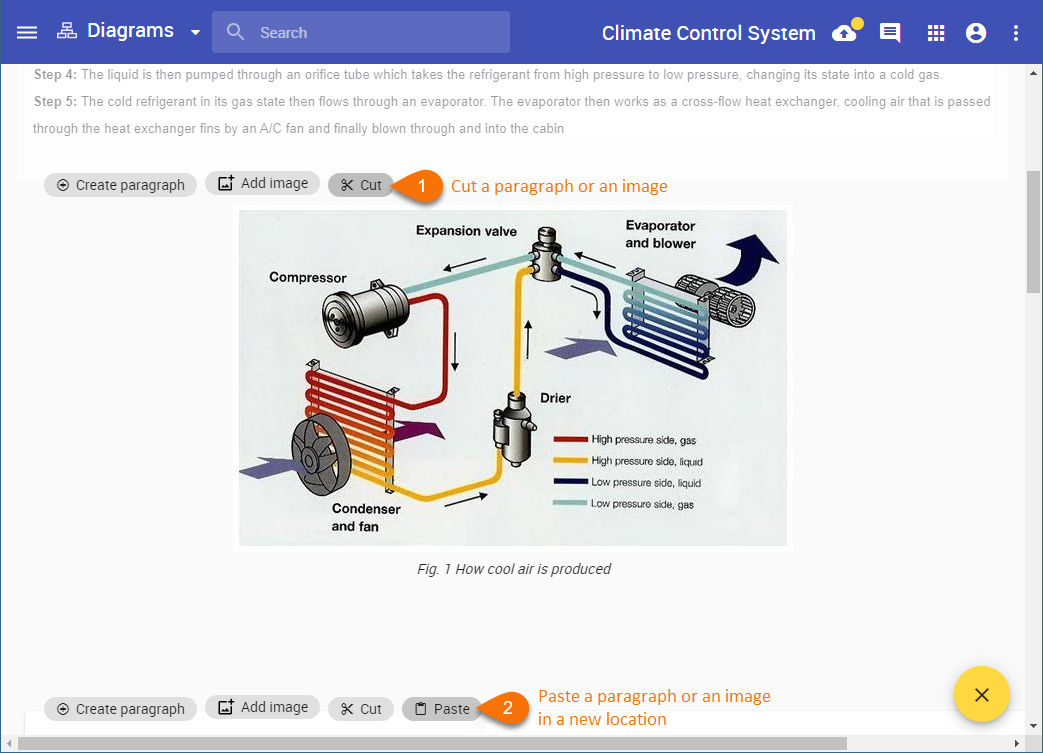
Reordering paragraphs and images in a Collaborator document.
Improved Table Usability
If, once in a while, you find yourself getting frustrated when trying to read a large table in a Collaborator document, we have some very good news. In version 2022x, the Collaborator web application comes with significant user experience improvements when it comes to navigating tables:
- Now the heading row stays visible when you scroll down a table.
- You can resize table columns by simply hovering the mouse pointer between two columns until the resizing icon appears.
- The horizontal scroll bar is always at hand regardless of what table section you are viewing.
- The text is aligned to the top left corner of a table cell for better readability.
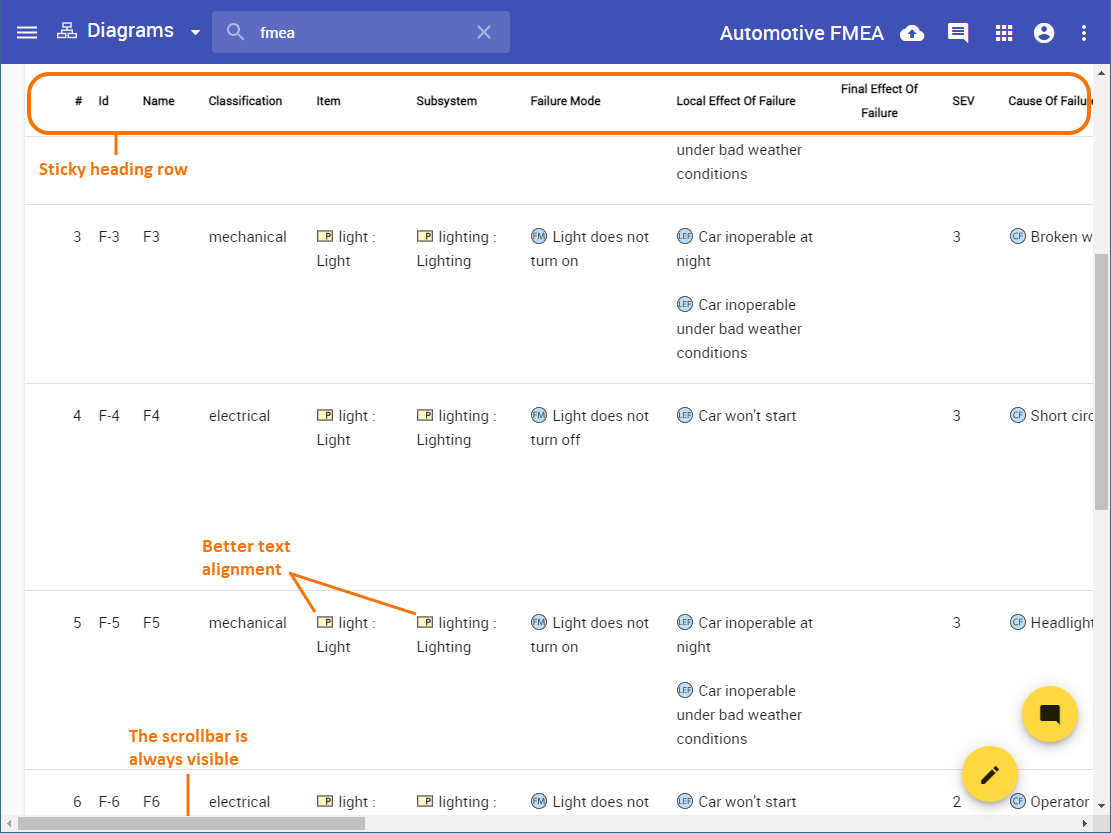
Usability improvements in tables.
Embedding Dynamic Diagrams
The Collaborator web application introduces a new exciting functionality allowing you to embed diagrams from Collaborator into web pages or documents. When copying a diagram link, you can select to get the URL designed to create an inline frame and easily embed it into any content supporting the iFrame component. Furthermore, such a URL is dynamic and always displays the latest version of an embedded diagram even after a Collaborator document is updated.
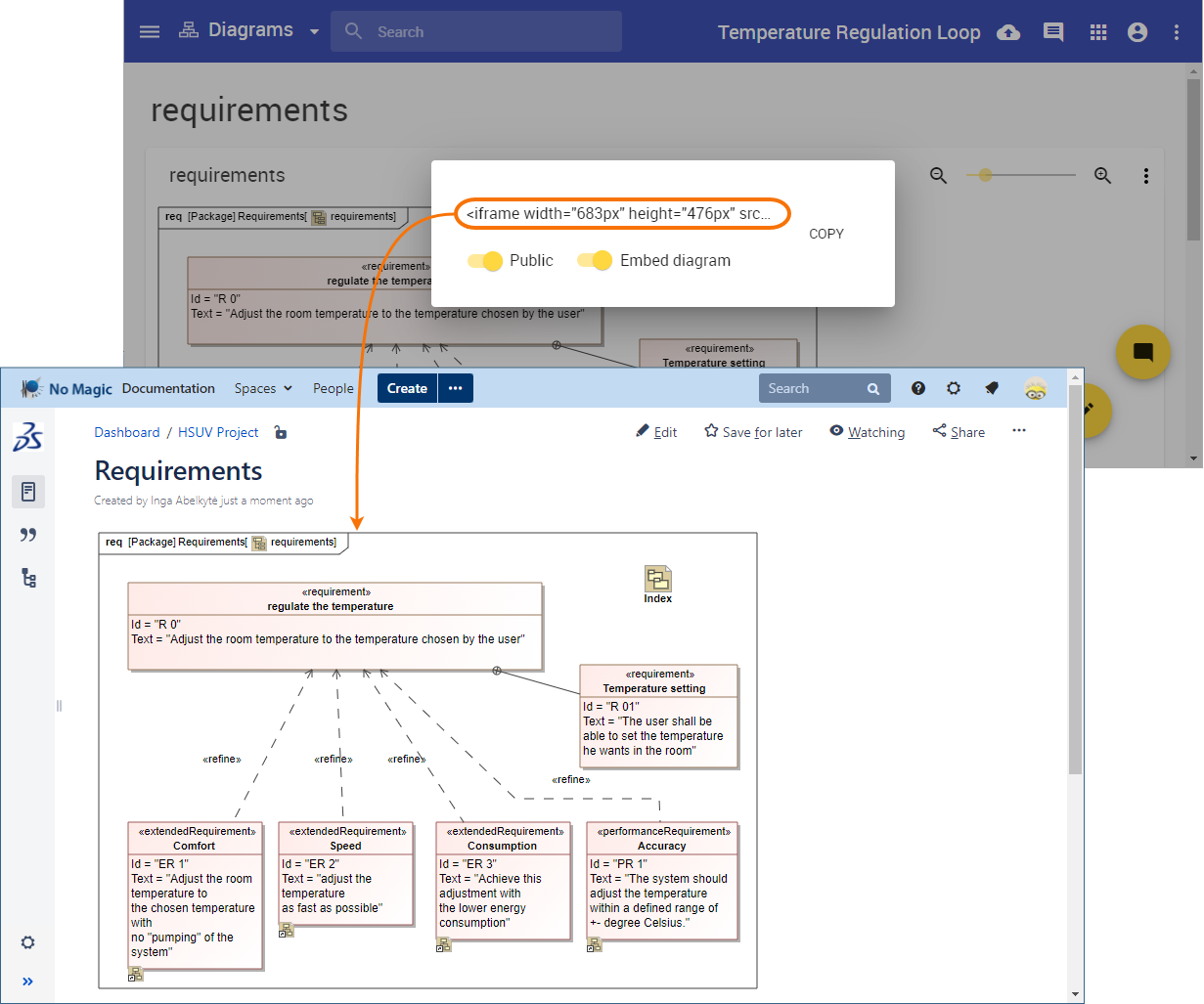
Embedding a diagram from Collaborator into a Confluence page.
Task Manager
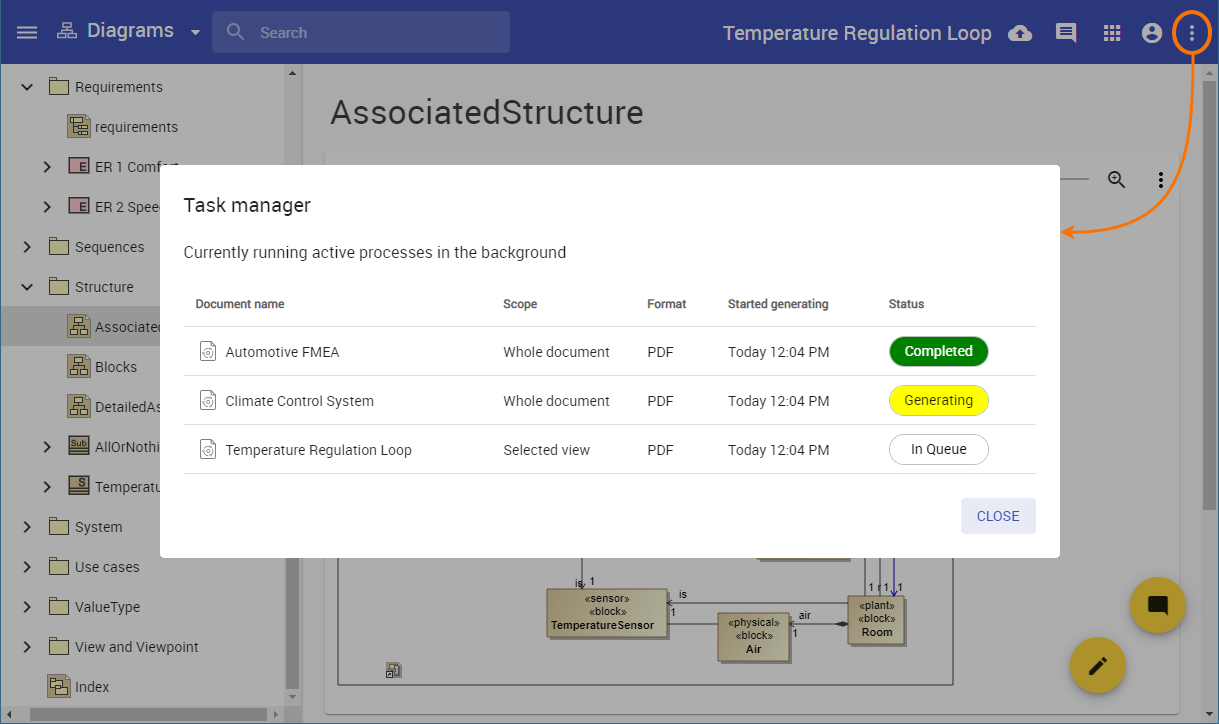
Now the Collaborator web application has a Task Manager, which you can use to monitor the status of long-running tasks, such as exporting documents to PDF or HTML. It will definitely come in handy when you need to manage several document exports at once, as shown in the figure below.