

After an author Sharing document links, you can start reviewing the model and give feedback to the author.
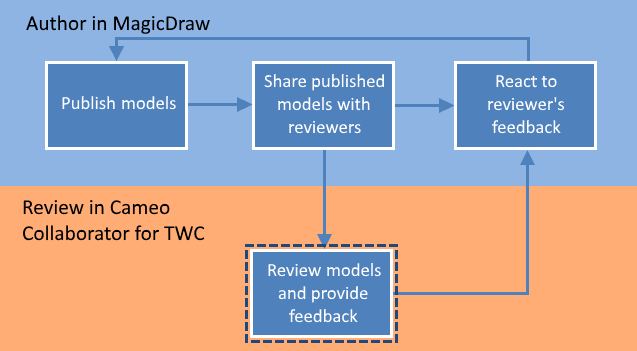
When you are provided with the link to a published model, you can review it and give feedback.
You can provide feedback in a form of textual and graphical comments. Creating and editing textual comments can be written for any element, including its properties displayed on the content pane. Creating and editing graphical comments can be drawn on all images, e.g., diagrams, maps, and matrices.
To review a published model and give feedback
Opening Cameo Collaborator for Teamwork Cloud you want to review.
Non-public documents
If the document you are trying to open is not shared publicly and you are directed to the login screen, log in to Teamwork Cloud.
- Do the following:
Review the document, including its structure, element characteristics, and diagrams.
Navigating
Use the Navigation pane to navigate to the content you want to review.
- Creating and editing textual comments for individual items on the Content pane.
- Draw on diagrams to Creating and editing graphical comments.
- Replying to comments, if there are other reviewer's or author's comments.
- When you finish, notify the author so that he/she can react to your feedback.
When an author updates a model and/or replies to your comments, you can repeat the cycle shown in the figure above.