Log in
No Magic Product Documentation
Spaces
Hit enter to search
Help
Online Help
Keyboard Shortcuts
Feed Builder
What’s new
About Confluence
Log in
Cameo Concept Modeler Plugin 19.0 LTR SP3
Edit space details
Scroll Content Manager
Page tree
Browse pages
Configure
Space tools
Document toolbox
A
t
tachments (3)
Page History
Page Information
Resolved comments
View in Hierarchy
View Source
Export to PDF
Export to Word
Export to HTML
Export to PDF
Pages
…
Cameo Concept Modeler Documentation
Usage
Working with subclasses
Jira links
Scroll page details
Making subclasses disjoint
Created by
user-1438d
on
Oct 03, 2019
1 minute read
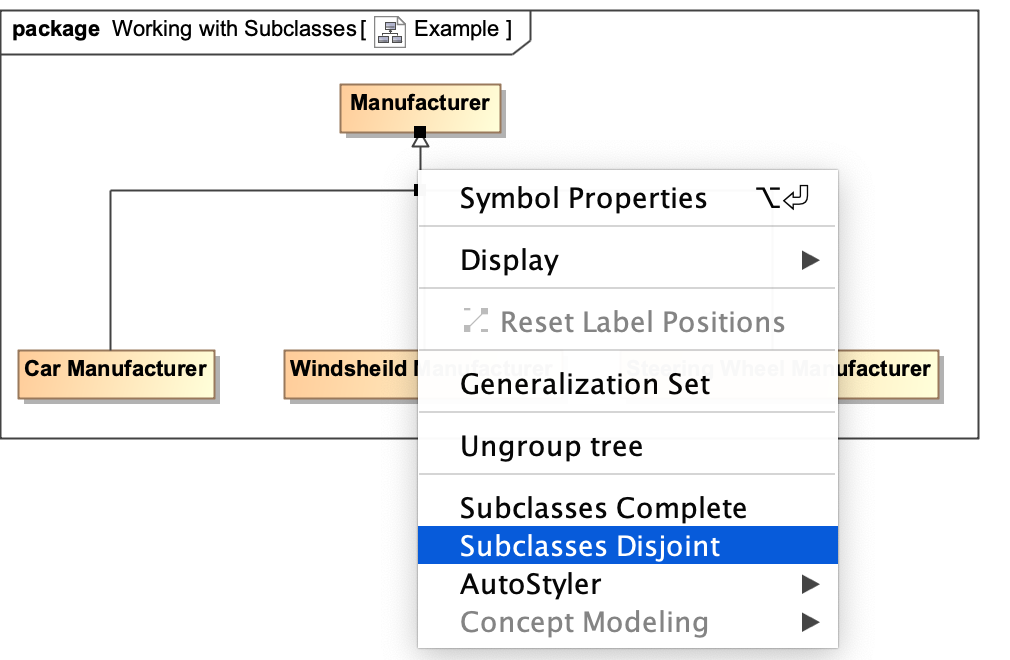
To make subclasses disjoint
Right-click on the generalization relationship.
Select
Subclasses Disjoint
.
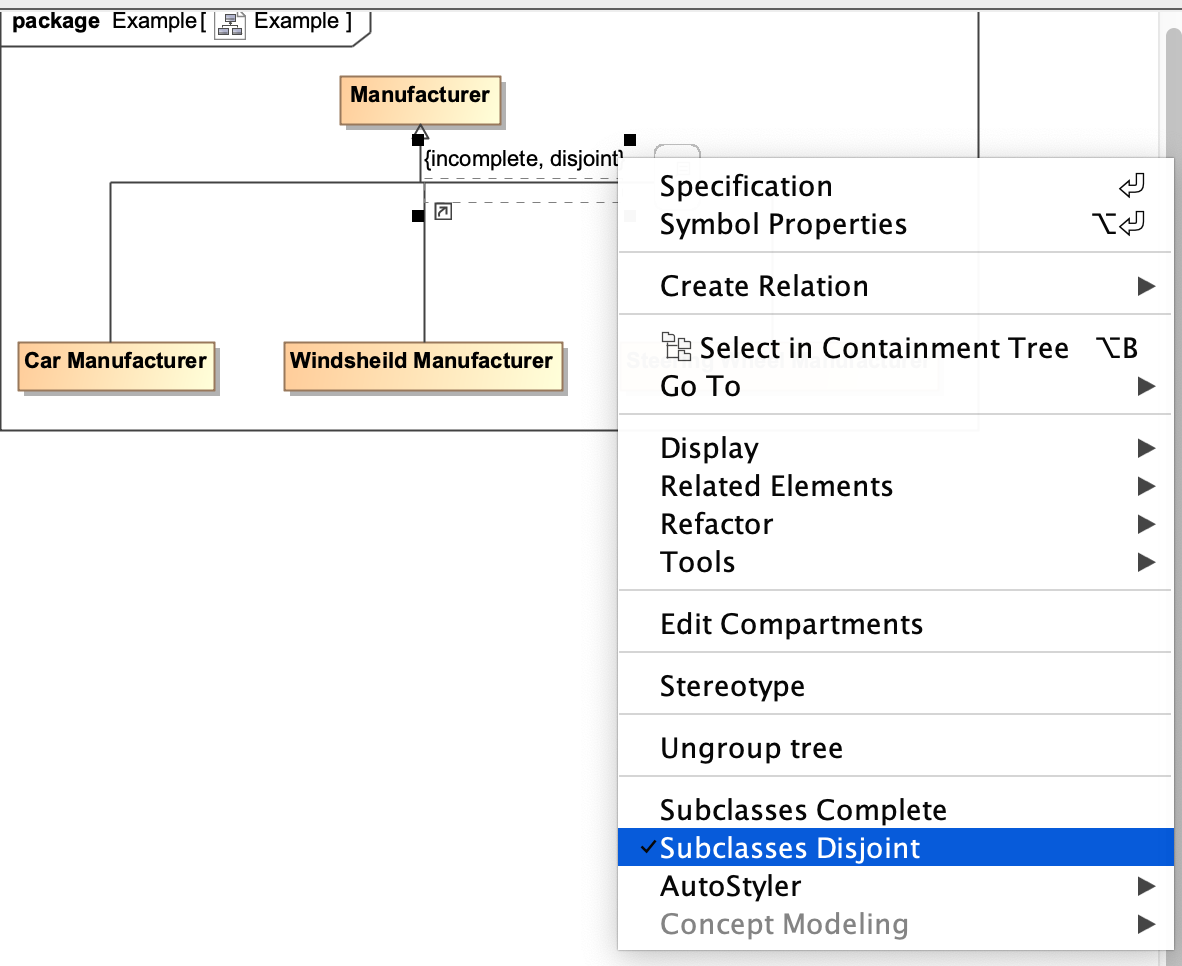
The subclasses will now be disjoint.
Related pages
Usage
Working with subclasses
No labels
Overview
Content Tools
{"serverDuration": 75, "requestCorrelationId": "1c20b472993fd7af"}