

To remove the DataHub plugin
- From the MagicDraw® main menu, click Help > Resource/Plugin Manager. The Resource/Plugin Manager dialog opens.
- Under the Plugins(commercial) option, select the Cameo DataHub check box.
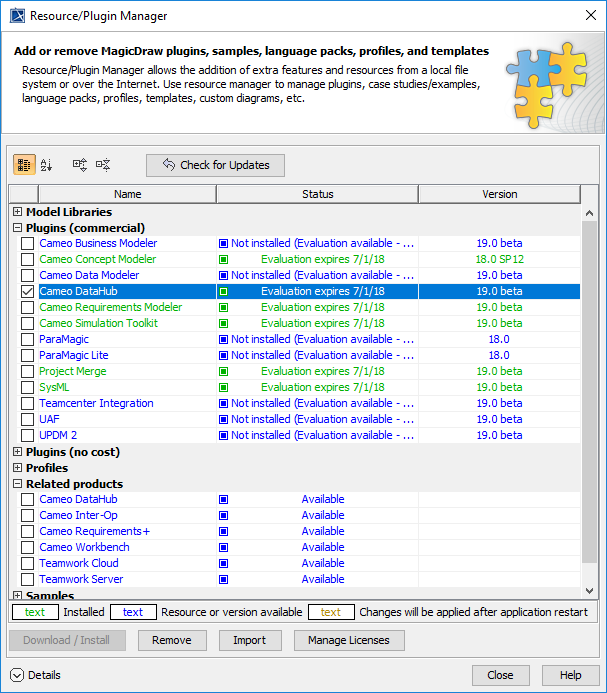
- Click
 .
. - Restart MagicDraw®.
Cameo DataHub 19.0 LTR Documentation
To remove the DataHub plugin
.