

When you're done reviewing differences and wish to see them on paper, you can simply export all the diagrams with visible changes to a Microsoft Word document using one of the predefined templates or your custom report template.
To generate a differences report using a predefined template
- Click the Report button in the Difference Viewer toolbar.

- Choose the preferred template – Full Report for a more detailed overview, including the entire Differences tree with all changes, or Diagrams Report.
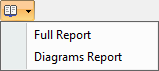
- The Save Report dialog opens. Specify the location in your file system for your report to be stored, type the file name and click Save.
If you need to slightly modify the report, for example, to show less data or add your company's information, you can edit the generated Microsoft Word document as per your needs.
However, if you require more control over what's represented in reports, you can customize report templates and generate differences reports of any desired depth and scope.
Creating custom report templates
All the .docx files found in the Merge Reports directory are treated as report templates, therefore you can copy and edit any of the existing templates, then save it as your custom report template with a different name. You will see your saved template in the drop-down list of available templates when you click the Report button  .
.
You can read more about creating and modifying report templates in the Report Wizard Template Creation Tutorial .