

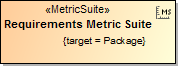
A metric suite must have a target. It specifies model elements, for which the metrics of a particular metric suite can be calculated. The target value can be any type of elements or even a particular element of your model. For example, if the target of a metric suite is the Package type, you can calculate metrics for any package in your model by creating a Metric table.
Although the target of a metric suite can be any type of element or even a particular element of your model, we recommend selecting the required package or
the Package type.
A target needs to be specified as the property of a metric suite
To specify the target of a metric suite
- Double-click the shape of the newly created metric suite to open its Specification window.
- Click the cell of the Target property value and then click
 . The Select Elements dialog opens.
 In the tree or list on the left side of the dialog, select the element that you wan to use as a target.
If you want to select the type of elements (e.g., Package), which is stored in a standard/system profile used in your project, make sure you clear the Apply Filter check box. Besides, you can select more than one element. For more information about the manipulations in the element selection dialog, see Elements multiple selection.
Add the element to the Selected elements list by clicking
 or
or  (if you want to add elements recursively).
Click OK.
In the Specification window, click Close.
The target is specified.
If you need to calculate metrics for the whole model, select the root package Model as the target of your metric suite.