

In MagicDraw version 12.1, the C# Using directive is mapped to the model as usage dependency with «C#Using» stereotype.
C# Using Namespace
The following example shows the mapping of C# Using Namespace. The usage dependency for C# Using namespace declaration that is not in the namespace will be created under File View component.
Example
Code:
using System;
using System.Collections.Generic;
using System.Text;
namespace n0
{
class using1 {}
}
Reversed UML model:
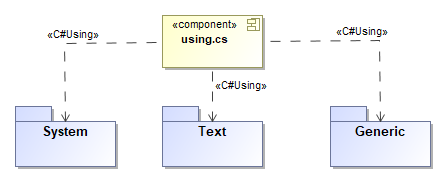
Open usage dependency specification apply «C#Using» stereotype. For using namespace, leave the name empty:
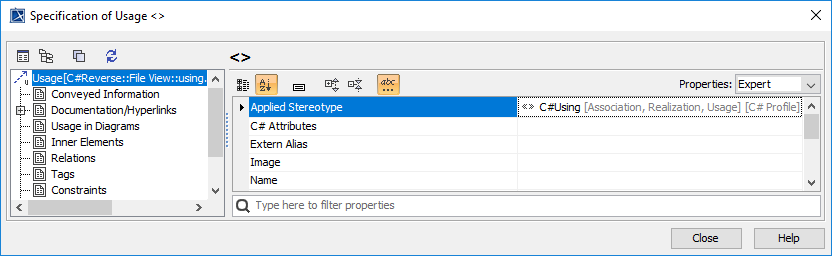
Applying «C#Using» stereotype
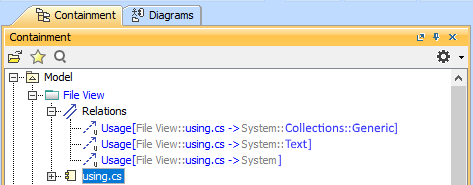
Relations in the containment tree
C# Using alias
The following example shows the mapping of C# Using alias. The usage dependency for C# Using alias declared in the namespace will be created under that namespace.
Example
Code:
namespace n0{ using n1 = n1.using1<int>;
using n2 = n1.n2.using1<bool>;
using n3 = n1.n2;
class using1 : n2 {
n1 a; n2 b;
n3.using1<float> c; }
}namespace
n1{ namespace n2
{ class using1<T> { } }
class using1<T> { }}
Reversed UML model:
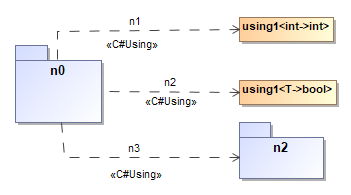
Open usage dependency specification apply «C#Using» stereotype. For using alias, enter the alias name:
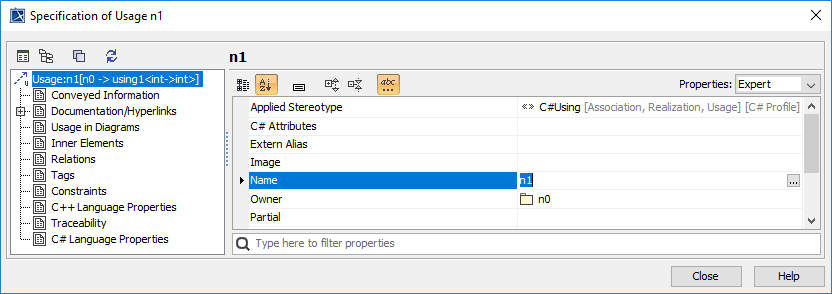
Applying «C#Using» stereotype
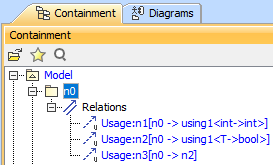
Relations in the containment tree
C# Partial feature
For mapping C# Using directive in the C# Partial feature, add file component name into Partial Tag value of usage link specification.
Example
Code for creating value partial1.cs
//partial1.cs
namespace n1 {
using LL =
System.Text.Encoder;
}
partial class using1
{
LL a;
}
Reversed UML model:
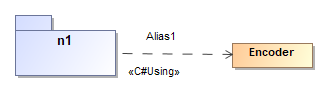
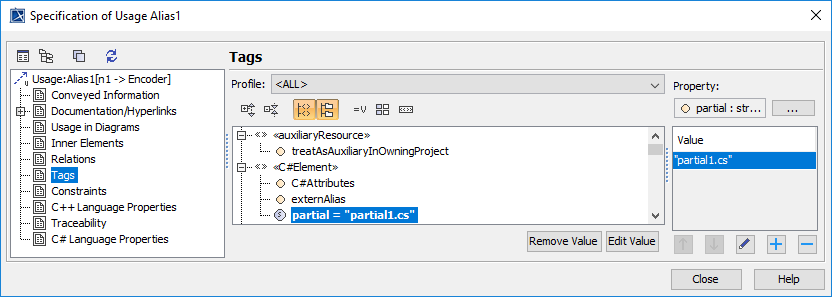
Partial Tag with value partial1.cs
Example
Code for creating value partial2.cs
//partial2.cs
namespace n1 {
using LL =
System.Text.Decoder;
}
partial class using1
{
LL b;
}
Reversed UML model:
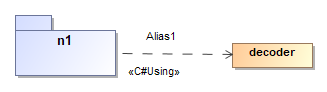
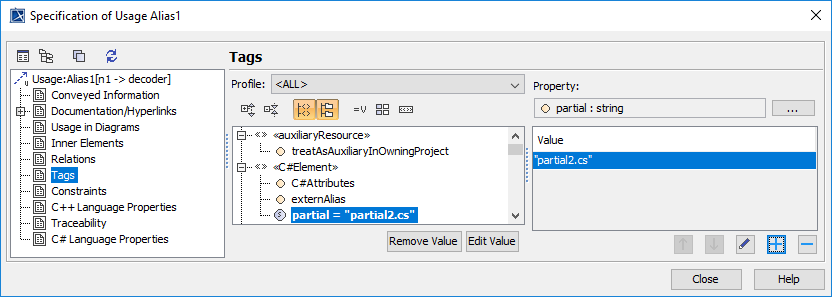
Partial Tag with value partial1.cs
Related pages