

To open the keyboard shortcuts pane in the Environment Options dialog
- Click Options > Environment on the MagicDraw main menu. The Environment Options dialog will open.
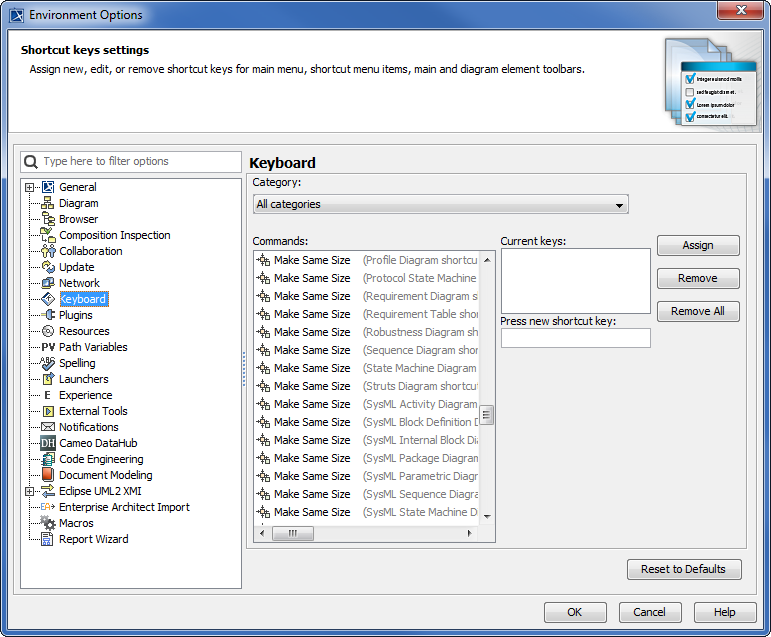
- Click Keyboard, see figure below.
The macro information and keyboard shortcuts that are saved either in the Environment Options or Macro Information dialog will be stored as a MagicDraw environment. They will not be kept in a specific project file [*.mdzip].
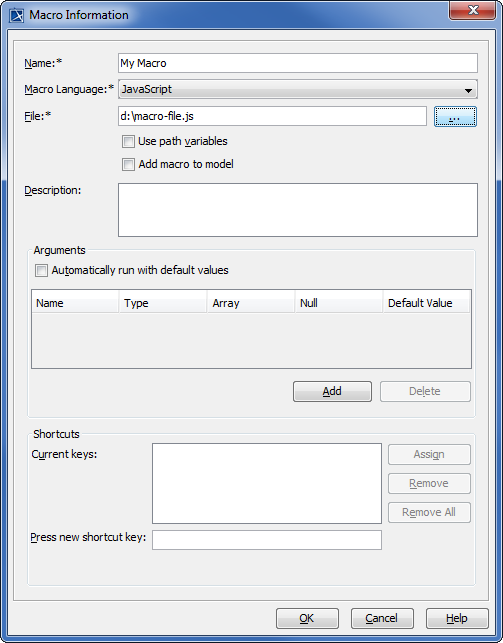
- The
 button in the Macro Information or Environment Options dialog will be disabled until you type a keyboard shortcut in the
  box.
box.
The table below lists the Keyboard Shortcut Buttons
Button | Function |
|---|---|
| | To assign a new keyboard shortcut to a macro. |
 | To remove the keyboard shortcuts from the selected item in box. |
 | To remove all keyboard shortcuts from a macro. |
The table below lists the Keyboard Shortcut Text Boxes
Field | Function |
|---|---|
| Current keys | To store a list of keyboard shortcuts currently assigned to a macro. |
| To type a new keyboard shortcut to be assigned to a macro. |