SysML Plugin TWRT Documentation


On this page
The Lock View tab is displayed only when working with server projects.
The Lock View tab is used to display what was locked in the project (locked elements, project structure, symbol styles) and by which users. Next to the locked element, you can see the name of the user who has locked it. Using the Filter by user list in the Lock View tab toolbar, you can see the elements, locked by the particular user.
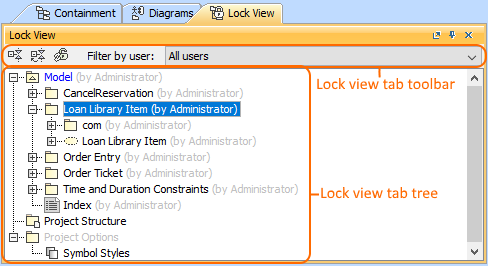
To open the Lock View tab, do one of the following
- At the top of the Model Browser, click the Lock View tab.
- If the Containment tab is hidden, from the Window menu, select Lock View.
The Locked Elements tab consists of the following two components:
- Lock View tab toolbar
- Lock View tree
Lock View tab toolbar
The Lock View tab toolbar contains the following:
- Update Lock Information button
- Filter by user list
- Collapse All button
- Collapse Selected Recursively button
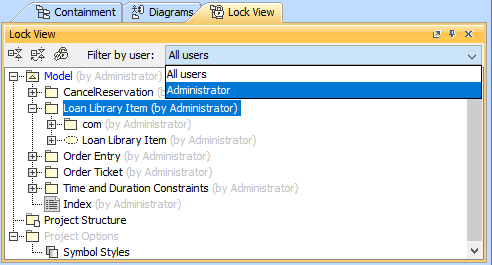
Using the Filter by user list you can select to display only the elements locked by the particular user.
Working with model elements in the Lock View tree
You can work with elements in the Lock View tree using the commands available from the selected element's shortcut menu. The shortcut menu contains the following commands:
Command | Function |
Lock | Locks or unlocks the particular element for edit. |
Select in Containment | Opens the Containment tab and selects the |
Select in Inheritance | Opens the Inheritance tab and selects |
Overview
Content Tools