SysML Plugin TWRT Documentation


You can display and hide the direction prefixes. They help to identify directions of Flow Properties and Proxy Ports. Read the following sections to learn how to work with direction prefixes:
Displaying direction prefixes of Proxy Port
The direction prefix of the Proxy Port helps to identify its direction.
The direction prefixes of Proxy Ports are displayed:
In Block Compartment
To display the Proxy Port direction prefixes in the Block Compartment
- Right-click the Block and select the Symbol Properties.
- In the Symbol Properties dialog, set the Show Proxy Port Direction in Compartment property value to true.
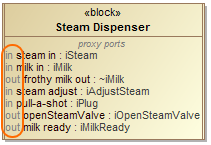
In the Model Browser
The direction prefixes of the Proxy Port in the Model Browser are displayed automatically.
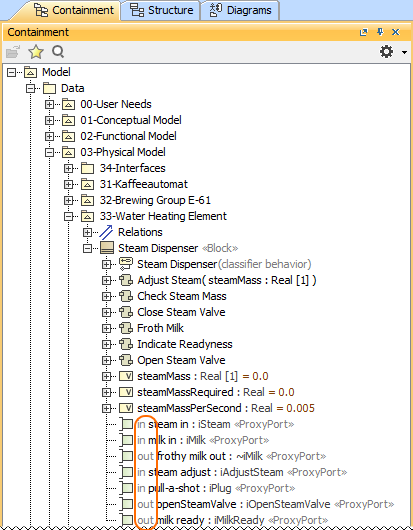
On the Proxy Port shape when its name is displayed inside the shape
To display the direction prefix on the Proxy Port shape
- Right-click the Proxy Port shape and select Position of Labels > Name and Type Labels Inside or All Labels Inside.
- Right-click the Proxy Port shape and select the Symbol Properties.
- In the Symbol Properties dialog, set the Show Direction Prefix Inside Port property value to true.
The direction prefix is displayed on the selected Proxy Port shape.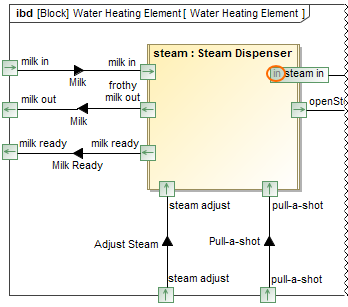
On the ToolTip
The direction prefixes of the Proxy Port on the ToolTip are displayed automatically. To see it, move the pointer over the Proxy Port or its name.
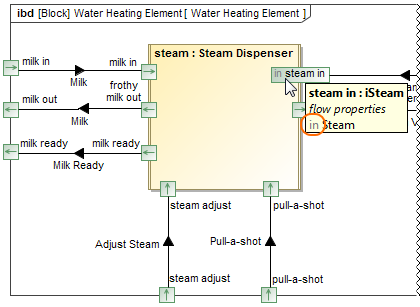
Displaying combined direction on Proxy Port shape
Combined direction consists of all owned and inherited flow properties and directed features of the Proxy Port. The flow properties direction are shown by default on the Proxy Port shape. If all features have direction "out" or "provided", the combined direction is "out". If all features have direction "in" or"required", the combined direction is "in". Otherwise the direction is "inout".
To include directed features into combined direction of the Proxy Port
- From the main menu, select Options > Project.
- In the Project Options dialog, on the right side, click General > SysML.
- Set the Include Directed Features into Combined Direction of Proxy Port property value to true.
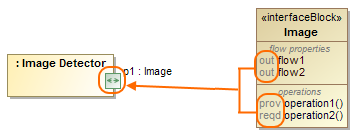
Hiding direction prefixes of Flow Property on Part Property shape
To hide direction prefix of Flow property on Part Property shape
- Right-click the Part property shape and select Symbol Properties.
- In the Symbol Properties dialog, set the Show Flow Property Direction in Compartment property value to false.
Displaying direction prefixes of Full Port
The direction prefix of the Full Port helps to identify its direction.
The direction prefixes of Full Ports are displayed:
In the Model Browser
The direction prefixes of the Full Port in the Model Browser are displayed automatically.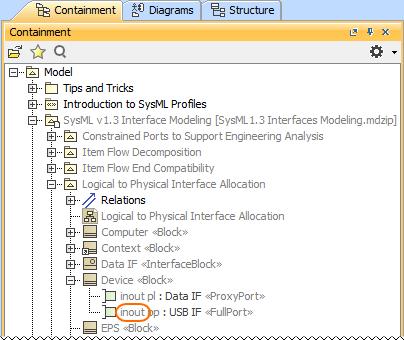
On the Full Port shape when its name is displayed inside the shape
To display the direction prefix on the Full Port shape
- Right-click the Full Port shape and select Position of Labels > Name and Type Labels Inside or All Labels Inside.
- Right-click the Full Port shape and select the Symbol Properties.
- In the Symbol Properties dialog, set the Show Direction Prefix Inside Port property value to true.
The direction prefix is displayed on the selected Full Port shape.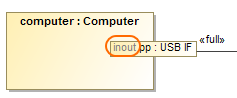
On the ToolTip
The direction prefixes of the Full Port on the ToolTip are displayed automatically. To see it, move the pointer over the Full Port or its name.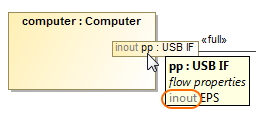
Overview
Content Tools