The Actual Project Milestone Creation Wizard is used to define a new milestone for the selected project.
To open the Actual Project Milestone Creation Wizard
- Open a AcV-2 (MODAF), Lr Lines of Development (NAF 4.0), NPV-1 (NAF), PV-2 (DoDAF 2.0).
- Select a project.
- Do one of the following:
- On the diagram toolbar, click Add New > Milestone.
- On the selected project shortcut menu, click Add new Actual Project Milestone.
- Select one of the available milestone kinds:
- Out Of Service Milestone
- Increment Milestone
- Deployed Milestone
- No Longer Used Milestone
- Actual Project Milestone
The wizard consists of three steps:
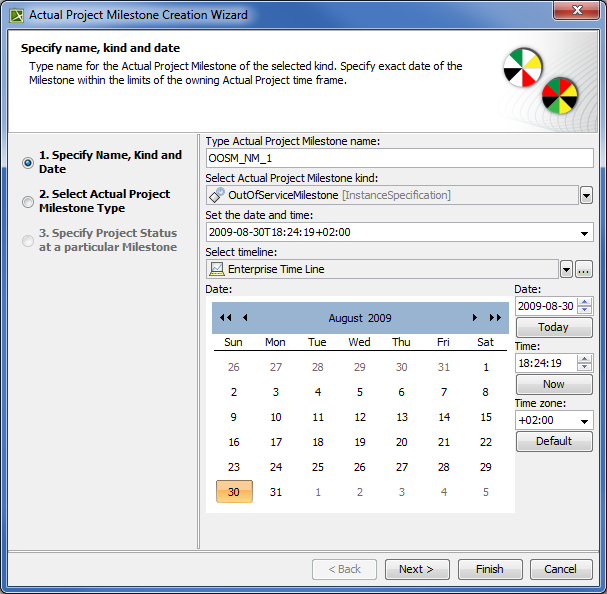
Milestone name, kind, and date specification.
In this step, you can specify a name of a new Milestone you are creating.
You can select one of the Milestone kinds, which are:
- Out Of Service Milestone
- Increment Milestone
- Deployed Milestone
- No Longer Used Milestone
- Actual Project Milestone
Also you can set the Milestone date and time. Date and time indicates the position of the milestone in the project time frame. For more information on setting date ant time, see Date and Time Settings dialog.
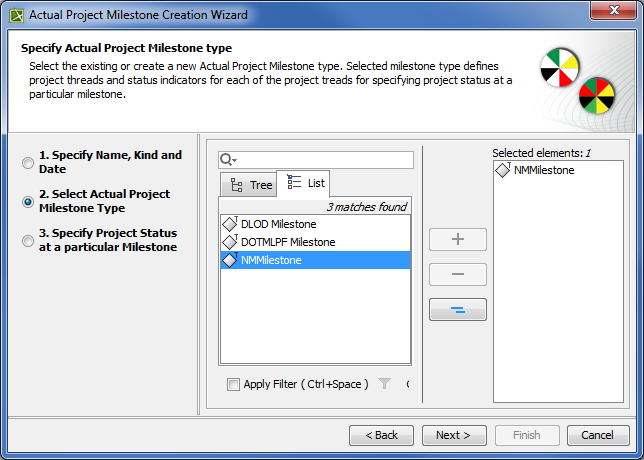
Project milestone type specification.
You can select one (or both) of the given milestone types:
- DLOD Milestone
- DOTMLPF Milestone
You can create your own milestone type as well.
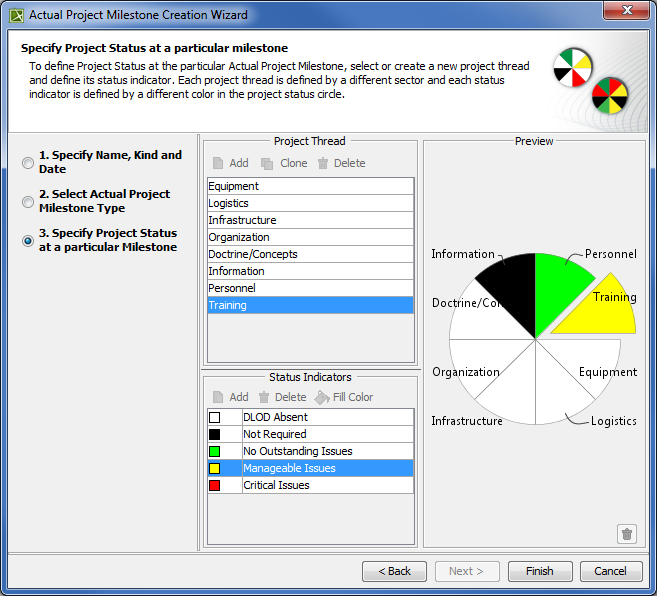
Project status specification at a particular Milestone.
After creating a new milestone, you can apply the project status according to the selected milestone type. Each milestone type can have specific project threads and status indicators.
DLOD Milestone type DOTMLPF Milestone type Project threads - Equipment
- Logistics
- Infrastructure
- Organization
- Doctrine/Concepts
- Information
- Personnel
- Training
- Doctrine
- Organization
- Training
- Materiel
- Leadership
- Personnel
- Facilities
Status indicators - DLOD Absent
- Not Required
- No Outstanding Issues
- Manageable Issues
- Critical Issues
- Materiel Solution Analysis
- Technology Development
- Engineering and Manufacturing Development
- Production & Deployment
- Operations & Support
You can also define you own milestone type with a custom set of project threads and status indicators.
To create project threads and status indicators
1. In the Project Thread area, click the Add button.
2. Specify the thread name.
3. In the Status Indicator area, click the Add button.
4. Specify the indicator name.
5. Click the Fill Color button.
6. In the Color dialog select the color and click OK.
To create a second thread with the same status indicators, select a previously created thread and click the Clone button. A new thread with previously defined status indicators are created.