

An Actual Measurements can be applied to measurable elements only.
To make an element measurable
- Create a Measurement Set with one Measurement at least.
- Select the element you want to measure and open its Specification window.
- Add the created Measurement Set as a value for the Measurement Types property.
You can apply the Measurement Set by dragging it from the Model Browser to the element.
As soon as you make the element measurable, define actual values for all measurements contained within the Measurement Set.
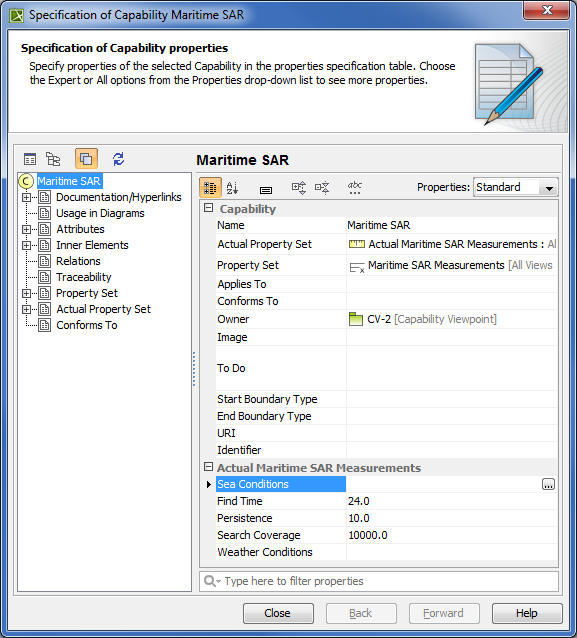
Define the default values in the Specification window of the Measurement Set and you will be able to use them when creating Actual Property Sets. You can use the default values with just one click of the Default Value button in the element's Specification window.
To set the default value for the Actual Property Set
- Select the element for which you want to specify the Actual Property Set and open its Specification window.
- In the Actual <measurement type name> property group, click the dv button to assign the default value.
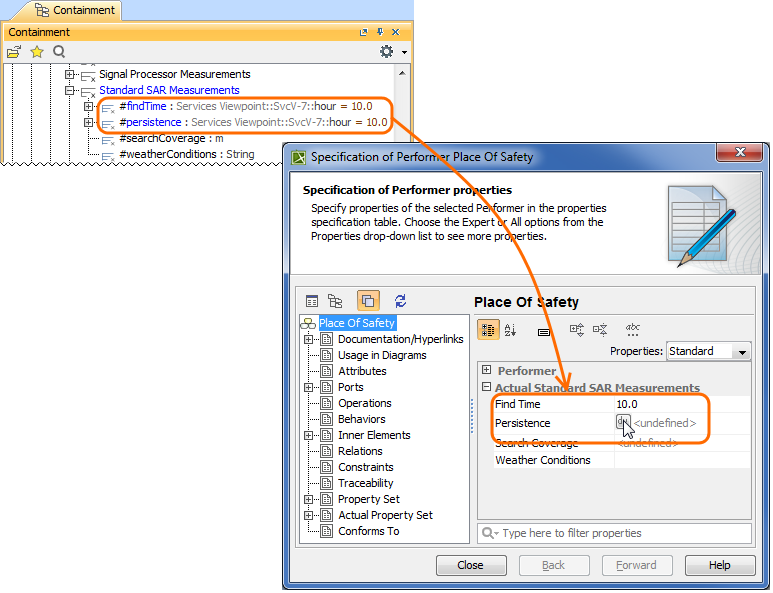
- The default values are set automatically when the measurement’s multiplicity is set to 1 and more.
- When you remove all values of the Actual Measurement Set, the Actual Property Set is removed from the model as well.