

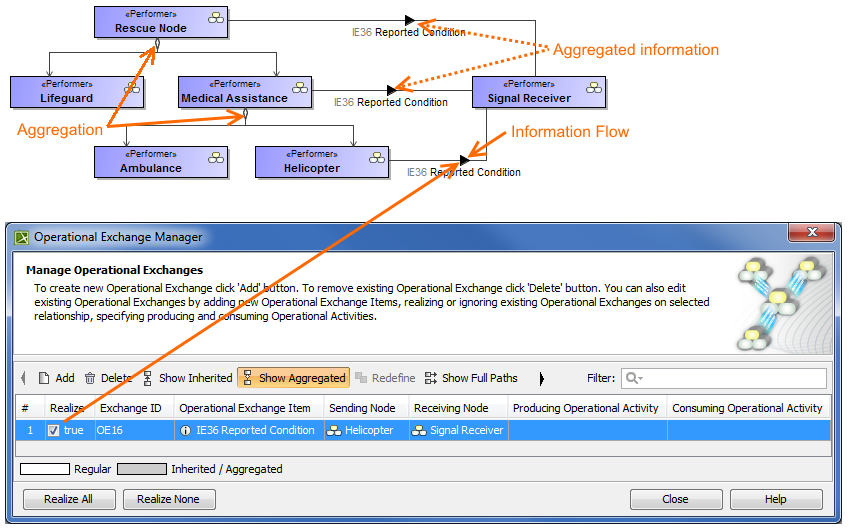
The Operational Exchanges and Resource Interactions can be inherited, aggregated, or composed. You can redefine the inherited flows.
You can see the inherited, aggregated, and composed exchanges in:
- Operational Exchange Manager
- Resource Interaction Manager
- Role-based tables OV-3, NOV-3, SV-6, NSV-6, SvcV-6, L3, and P3.
Case Study
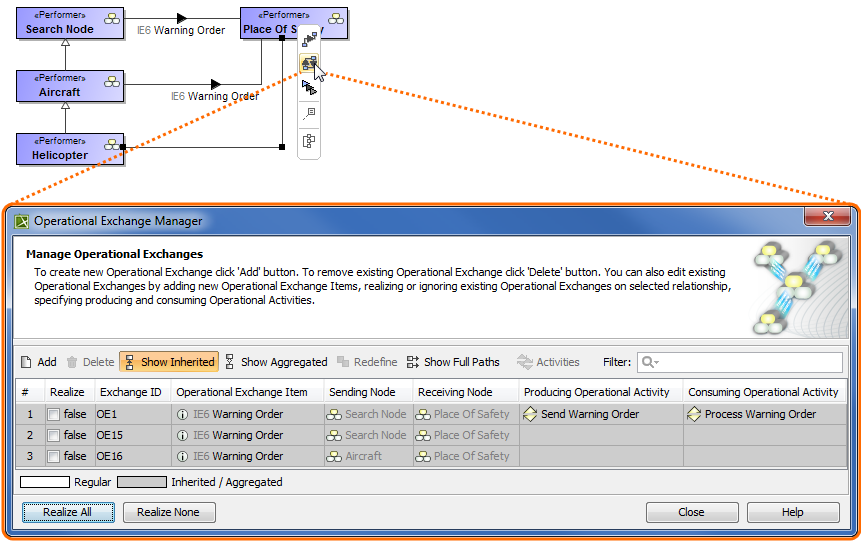
Let's say, we have performers SearchNode and PlaceOfSafety related with the Operational Exchange WarningOrder. The performer Aircraft specifies performer SearchNode. Then we draw an association between Aircraft and PlaceofSafety. In this case, the drawn association inherits the Operational Exchange information that can be realized or not and also can be redefined.
Let's realize the Operational Exchange. We can do this in two ways:
- By clicking
 in the association's smart manipulator toolbar.
 - By selecting the check box in the Realize column in the Operational Exchange Manager dialog.
To hide inherited exchanges in dialogs
- Click Options > Project.
- In the Project Options dialog, select General > UPDM.
- Set the Respect UPDM Information Flows on Generalization property value to false.
- Note, that the exchange is not created for the drawn association, it is only realized.
- The realization of the exchange will be removed from the association when Generalization or Exchange is removed.
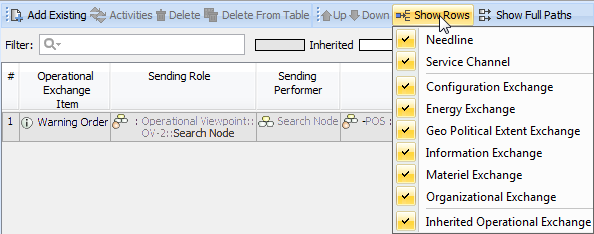
All the inherited exchanges can also be seen in the role-based tables. The inherited exchange rows are displayed in gray. You can use the Inherited Operational Exchange or Resource Interaction option to see the inherited exchanges.
To see the inherited exchanges
- From the active table's toolbar, select Show Rows and then click Inherited Operational Exchange or Resource Interaction button.
When we have the inherited Operational Exchange, we can redefine it. This means, that the inherited Operational Exchange will be copied together with the information such as Actual Measurements, Conveyed Items, Documentation. The new Operational Exchange will be created in the model.
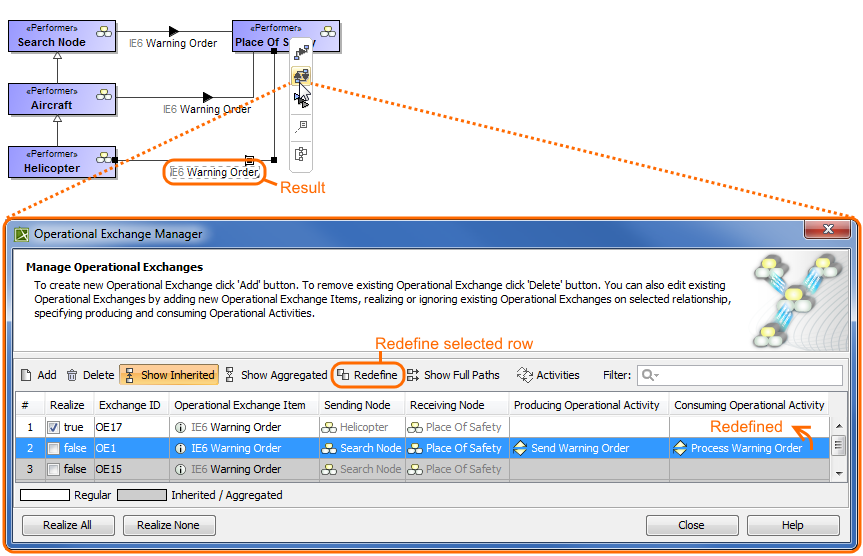
To redefine the Operational Exchange
- In the Operational Exchange Manager dialog, select the inherited Operational Exchange and click the Redefine button. The new Operational Exchange is created.
All the information that comes from the inherited exchange when redefining it can be modified in the model.
- Concept Role
- Node
- Performer
- System Resource
- Operational Exchange
- Resource Interaction