

See references on how to assign the behavior for the following elements:
See the following procedures, on how to assign the behavior for the rest of the elements,
- Class,
- Component,
- Stereotype,
- Node,
- Actor,
- Use Case,
- Collaboration,
- Interaction,
- State Machine,
- Activity,
- Opaque Behavior, and
- Association Class.
To create and assign a behavior
There are two ways to create and assign behaviors, so do one of the following:
- Create a behavior in the element's Specification Window.
- Open the element's Specification Window and click the Behaviors property group.
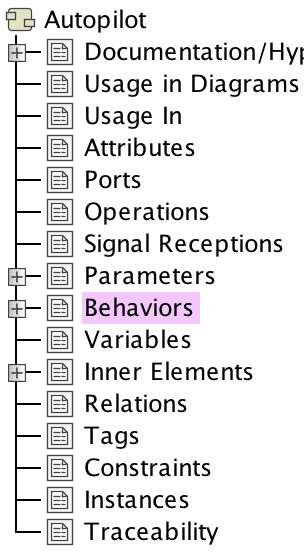
- Click the Create button and then from the menu, select the behavior type.
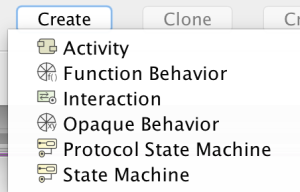
- In the behavior's Specification Window, specify the behavior and click Close.
- Open the element's Specification Window and click the Behaviors property group.
- Right-click the element in the Model Browser, on its shortcut menu, click Create Diagram and then click to create Activity, Sequence, State Machine or other behavior diagram.
To create an operation for the behavior
- In the element's Specification Window, click Behaviors property group.
- Click the behavior, then click the Create Operation button.
If the Specification property is defined already, then the Create Operation button is unavailable.