

You can perform the Requirement gap and coverage analysis by using:
- Understanding the user interface. The diagram pane allows you to display Requirements and other design elements with a drag-and-drop from the Model Browser and draw relationships between them. Working with paths and relationships
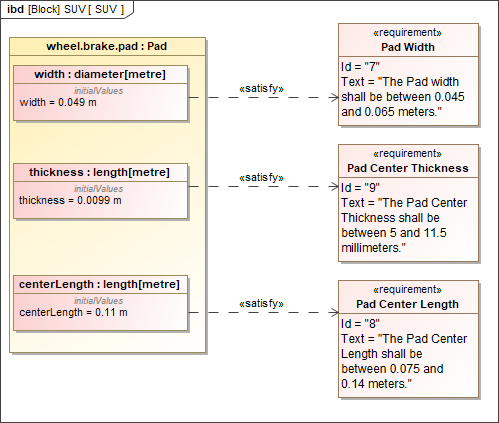
Displaying requirements on IBD diagram
- Requirement matrices. The matrices enable you to analyze, create, and modify relationships between Requirements and other design elements. It is especially valuable that you can display relationships that cannot be represented in diagrams, such as representations (classes by lifeline), behavior representations in other diagrams, operation representations by Call Behavior Actions, etc. Dependency Matrix
- Metric table. The metrics allows collecting various metrics used to evaluate the current state of your model. How to work in Metric table >>