

The System Signals Routing Wizard provides help for creating complete System Signal routes on a Topology.
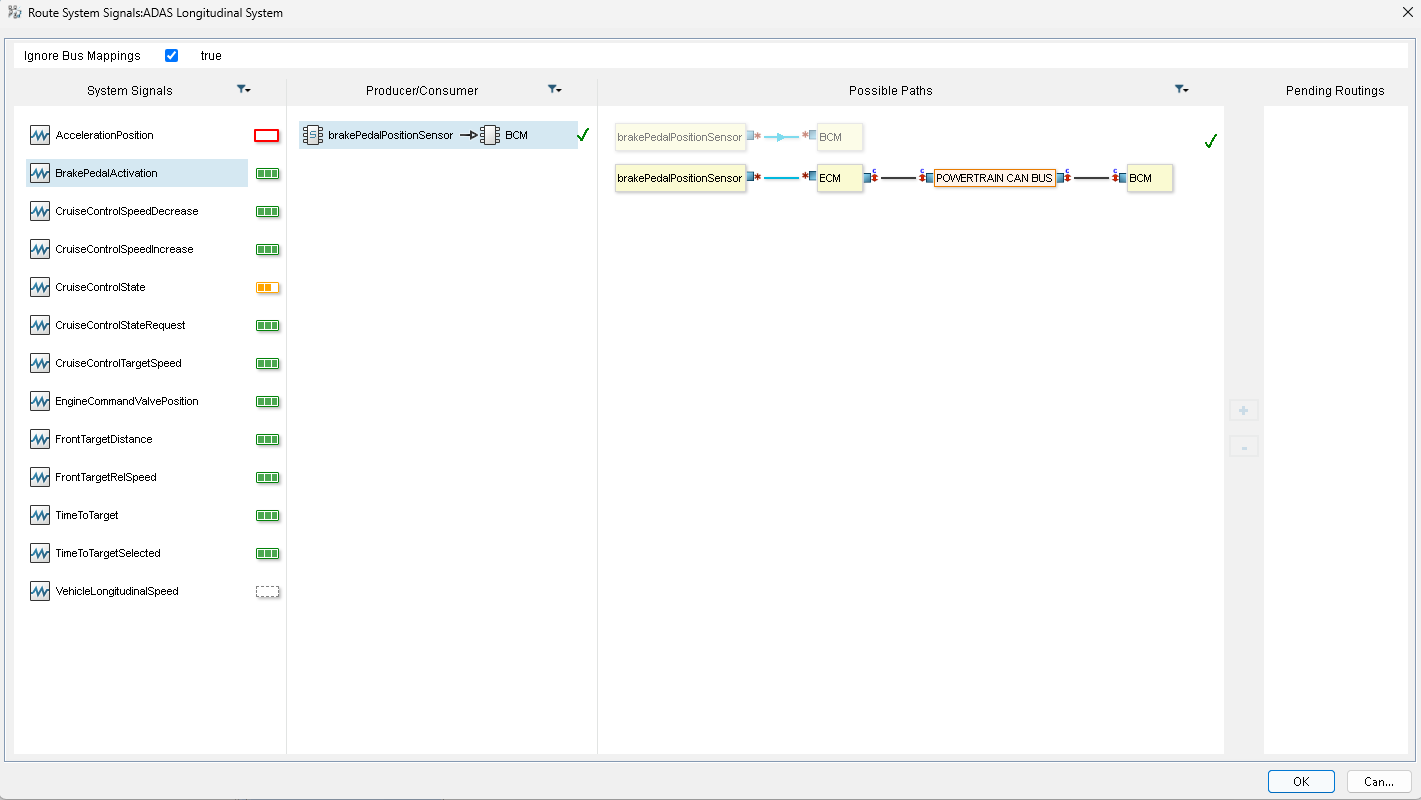
Legend: : This System Signal is not routed.
 : This System Signal is partially routed.
 : This System Signal is routed for each Producer/Consumer pair.
 : This System Signal cannot be routed (no Producer/Consumer pair found).
Note
Green check icons indicate that item flows have already been created for connections.
To create all the item flows related to the possible paths
- In the Containment tree, right-click the System Mapping package.
- In the shortcut menu, click E/E Architecture Tools > Route System Signals.
The first column of the wizard contains available signals. - Select a system signal.
Pairs Producer/Consumer appear in the second column. - Select a producer/consumer item.
Possible paths appear in the third column. - Select a possible path and click the + button.
The selected path appears in the Pending Routings column.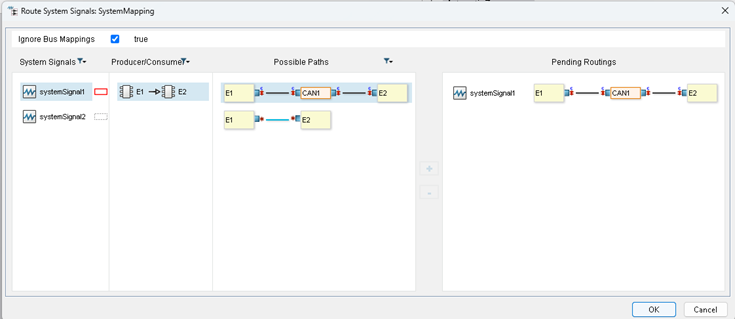
- Do the previous steps for all the system signals to route.
- Click OK to create all the item flows related to the pending routings.
In the Containment tree, each routed system signal is represented by a package named “Routing <system signal name>”.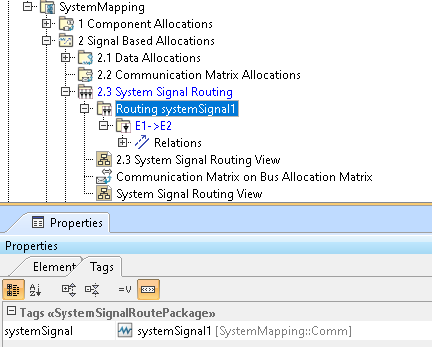
Each Producer/consumer pair appears under this package and is represented by package named "Producer->Consumer".
The item flows used by "Producer->Consumer" are an ordered sequence and are visible in the Properties tab.